
Video
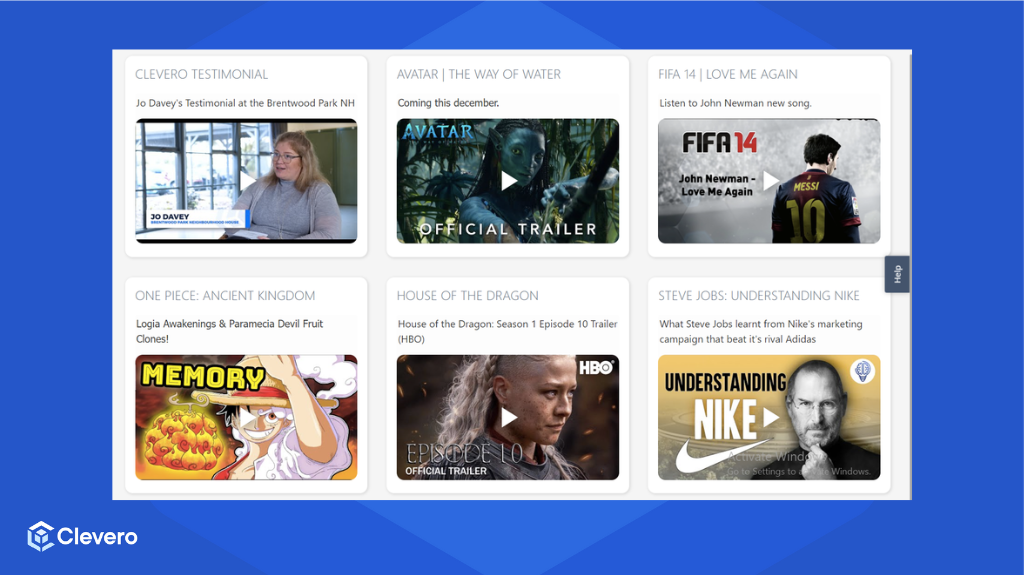
📹 Embed videos directly in the dashboard for dynamic visual content.
The video widget is used to display the video field of a specific entry defined in the configuration. This helps our users to display their desired video field on the dashboard.
Example Configuration
Here is an example configuration:
{
    "type": "video",
    "config": {
        "record": "backlog-items",
        "entryId": 253320,
        "titleField": "title",
        "titleStyle": {
            "fontSize": "extralarge",
            "fontWeight": "light",
            "color": "default"
        },
        "title": "Clevero Testimonial",
        "richTextField": "Jo Davey's Testimonial at the Brentwood Park Neighbourhood house",
        "videoField": "video",
        "newTabField": "open-in-a-new-tab",
        "thumbnailField": "thumbnail"
    }
}
Below is the breakdown of each component:
type: Specifies the widget type as a video widget.record: Identifies the type of record.entryId: Specifies the unique ID of the entry from which the video content will be fetched.titleField: Specify the field that holds the title of the video.titleStyle: Defines the style for the video title, including font size, font weight, and colour.title: Provides an optional hard-coded title for the video.richTextField: Specifies the field that contains additional rich text content related to the video.videoField: Specifies the field where the video URL or source is stored.newTabField: Specifies a field that, if present and true, opens the video in a new tab.thumbnailField: Specify the field that holds the thumbnail image associated with the video.
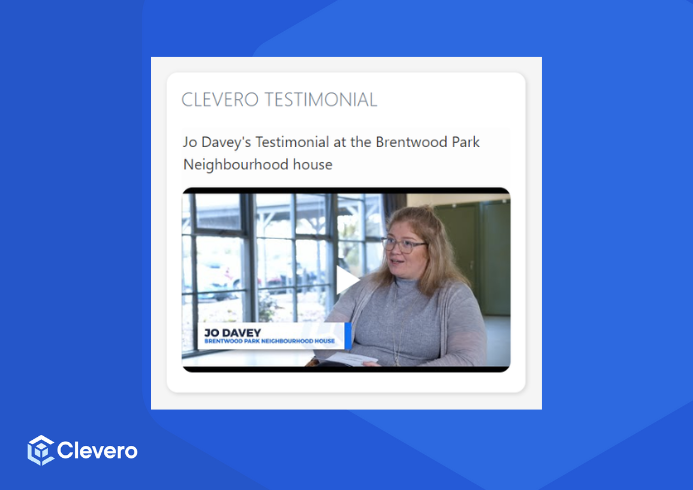
The example configuration above is shown as follows:
📌 Need Help?

Updated about 1 year ago
Did this page help you?