
3rd Party Authentication
🔎 Utilise external services for the user login.
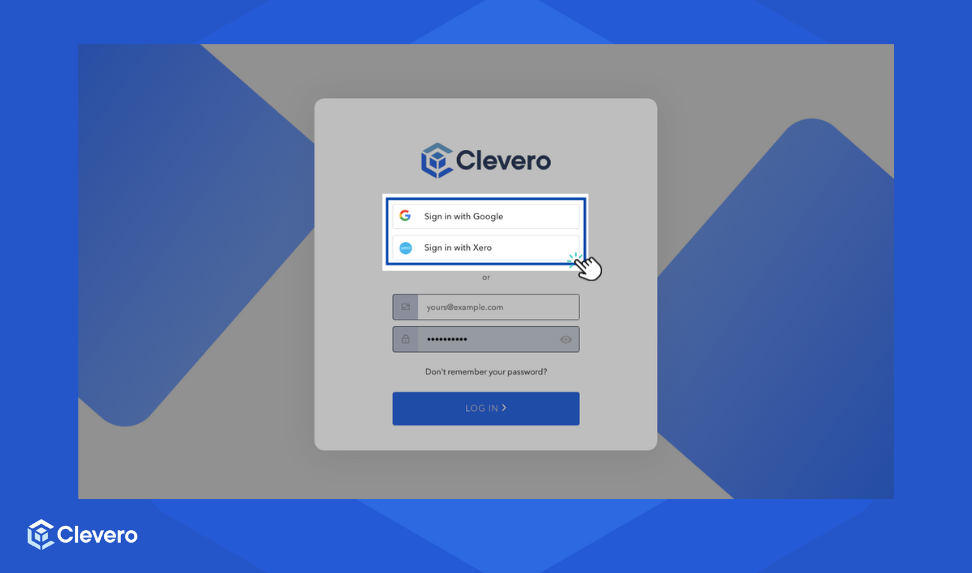
Clevero offers 3rd party authentication to your login process through Google and Xero accounts. Here's how to link your accounts:
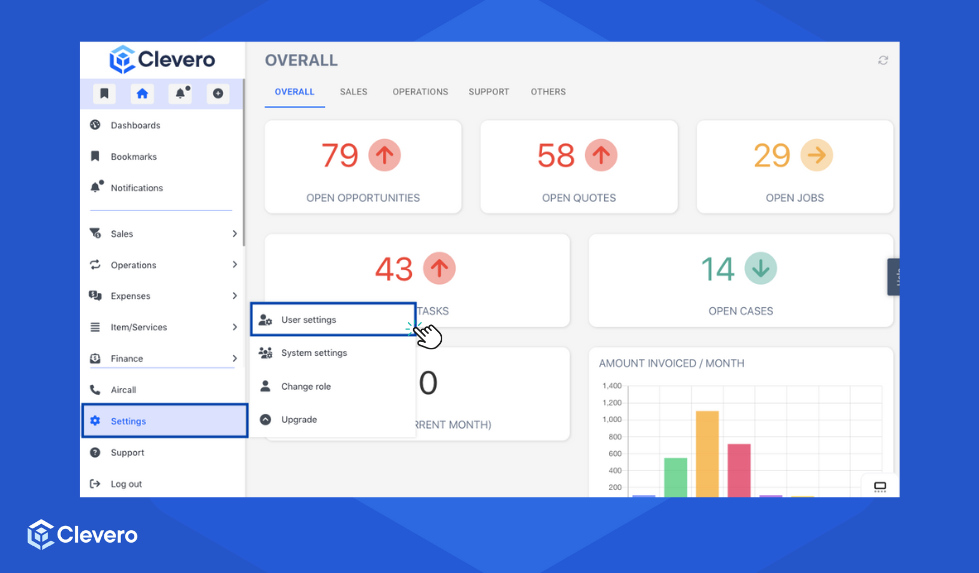
- Click Settings and then proceed to User Settings.
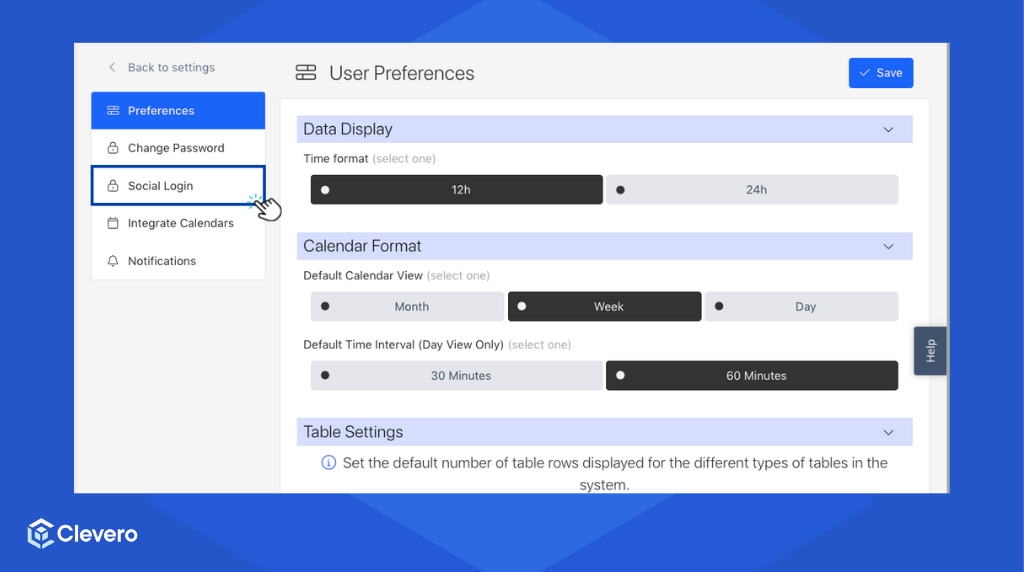
- Choose "Social Login" from the menu.
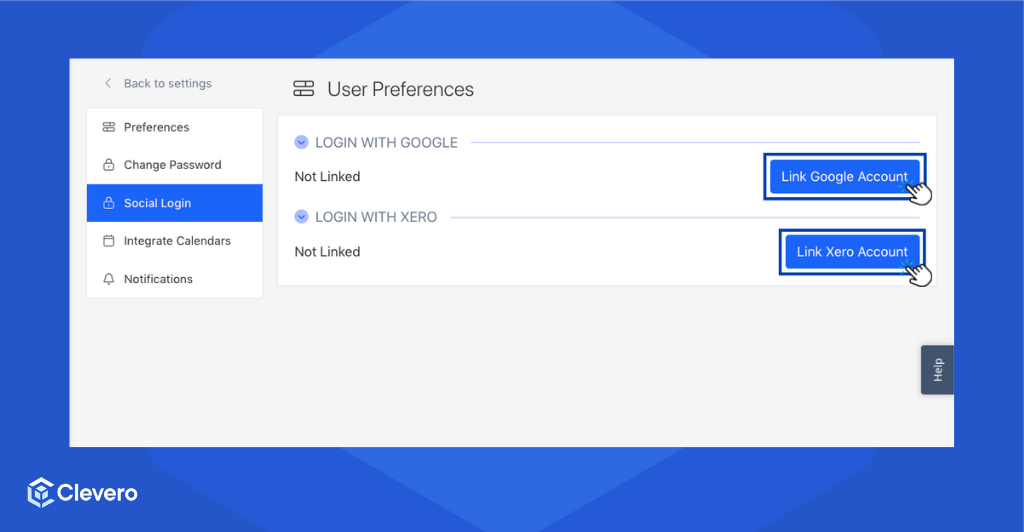
- You have two options for 3rd party authentication:
- To use your Google Account, click "Link Google Account".
- To use your Xero Account, click "Link Xero Account".
- Sign in to your Google or Xero account, and you'll be directed to a page to choose the account you want for Clevero.
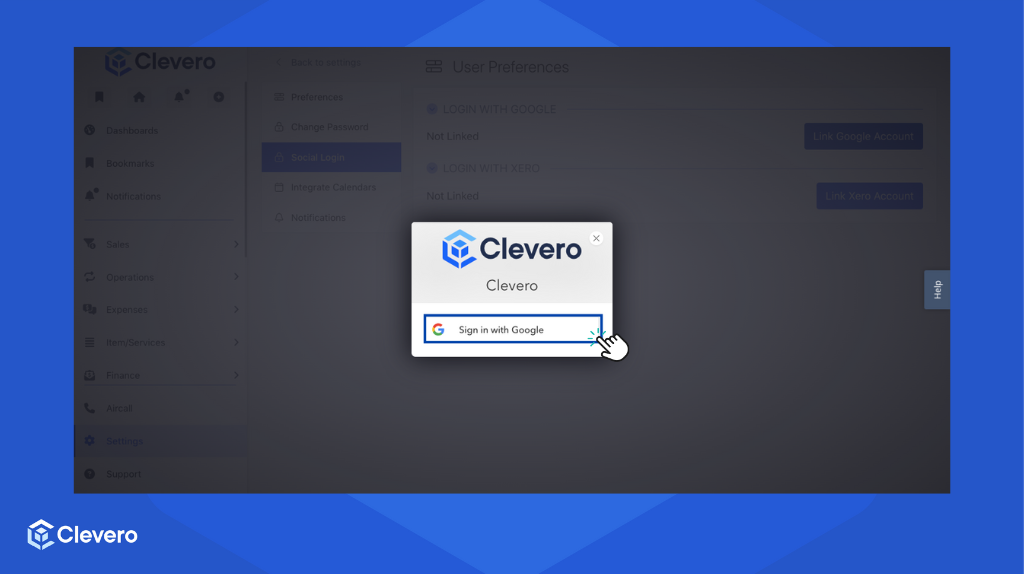
- Security is our top priority. Clevero will request access to your profile and email for your Clevero login. Click ✅ to proceed.
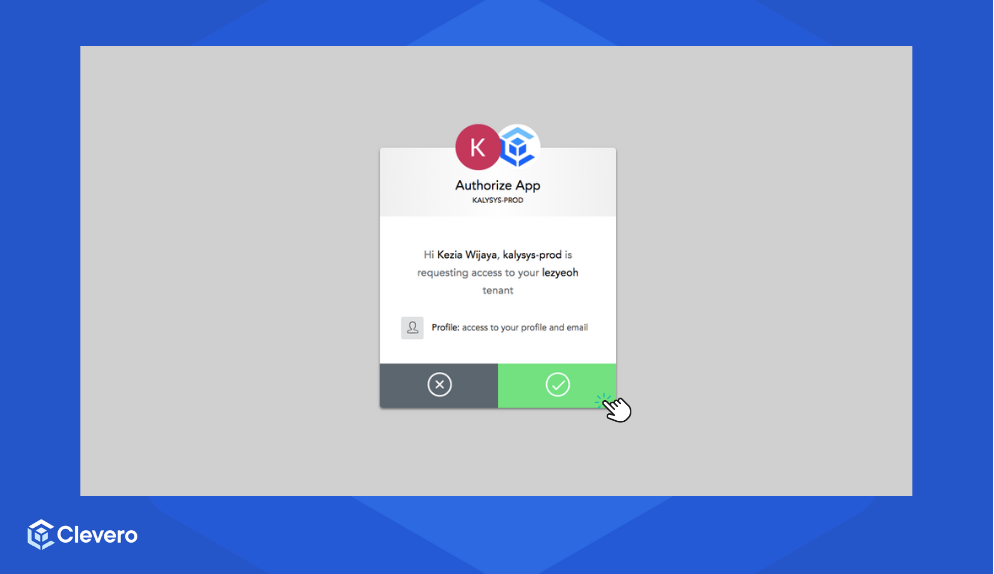
- Your account is now linked to Clevero, providing easy and secure access.
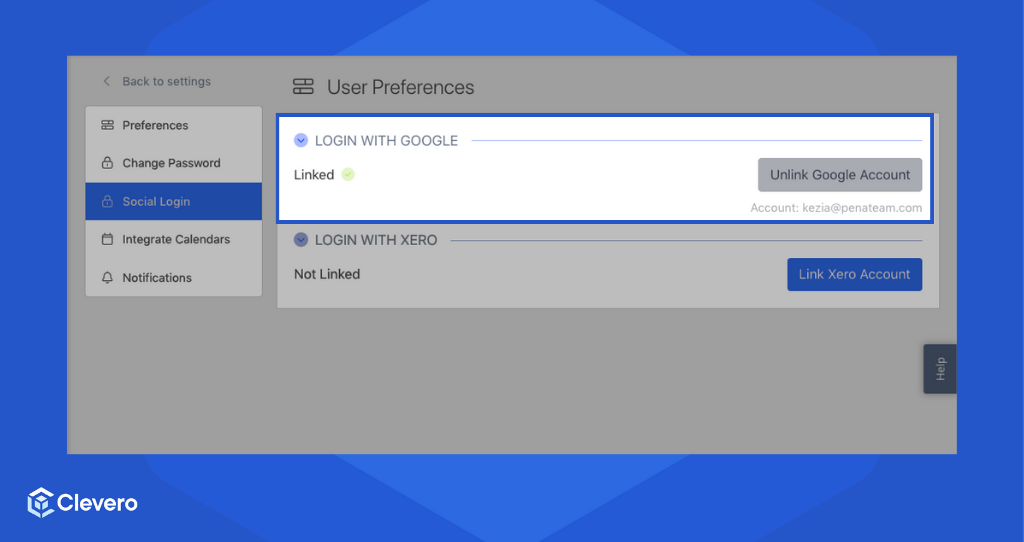
- You can now enjoy hassle-free login to Clevero using your linked Google or Xero account.
📌 Need Help?

Updated over 1 year ago
Did this page help you?