
Bar Graph
📊 Visualize data using bars for easy comparison and insights.
A Bar Graph represents data using rectangular bars to compare values across categories. It helps users quickly identify trends, differences, and patterns in their data.
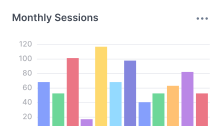
A Bar Graph widget consists of two main sections:
config: Controls the appearance and layout of the graph.aggregation: Controls how the data is grouped, calculated, and sorted before display.
Configure the Average Widget
When configuring a Bar Graph widget from the UI, you can specify the following settings.
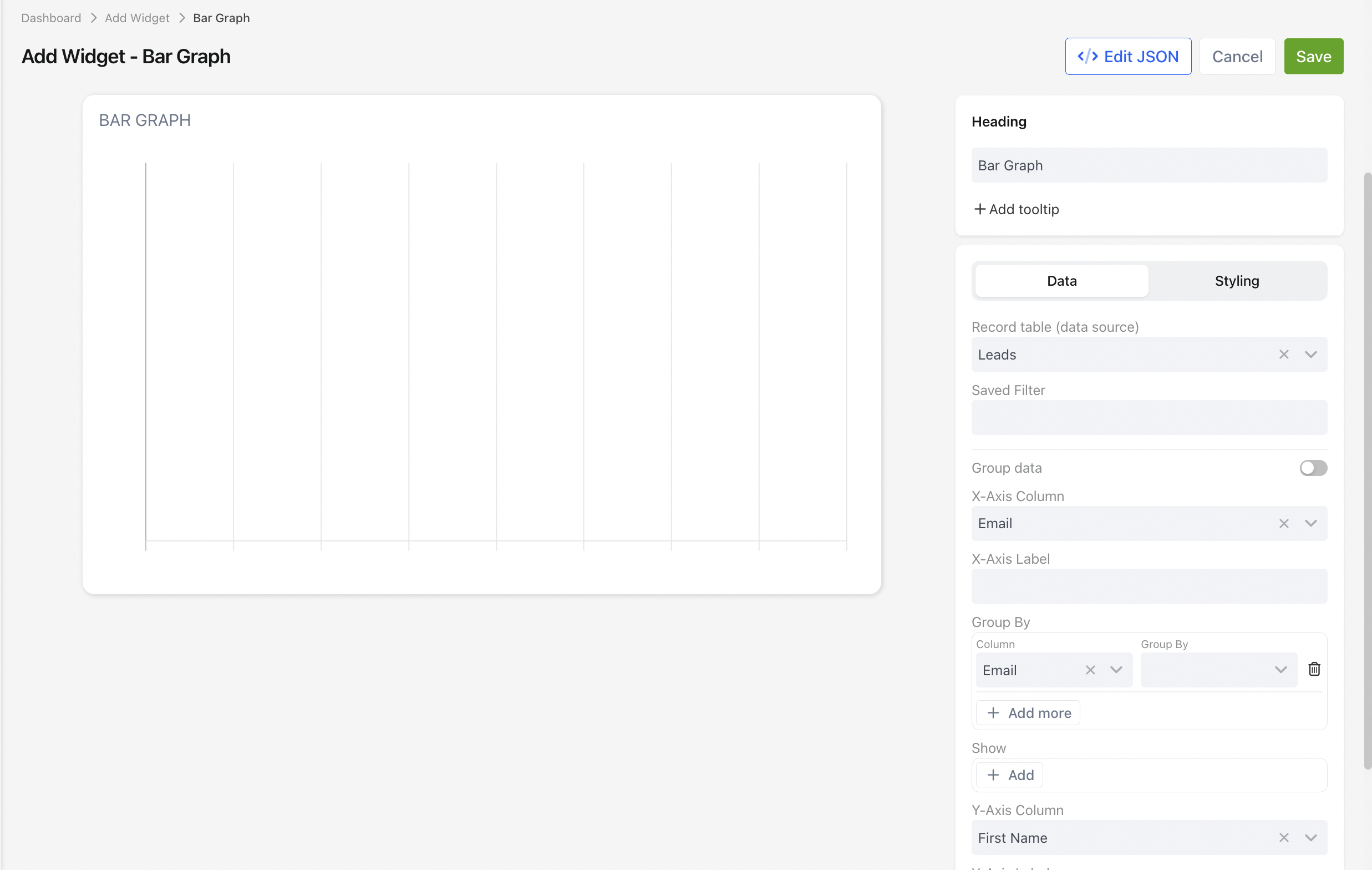
Display Settings
| Setting | Description |
|---|---|
| Title | Enter a title to display at the top of the graph. |
| X-Axis Field | Select the field used to group the data displayed along the horizontal axis. |
| X-Axis Label | Enter the label displayed beneath the horizontal axis. |
| Y-Axis Value | Select the aggregated value displayed on the vertical axis. |
| Y-Axis Label | Enter the label displayed beside the vertical axis. |
| Prefix | Optional text displayed before each Y-axis value, such as $. |
| Maximum Decimal Places | Specify the maximum number of decimal places displayed for numeric values. |
| Bar Colour | Select the colour used to display the bars. |
| Grouped Data | Displays grouped bars when multiple categories are available. |
| Hide Grid Lines | Removes the background grid lines from the graph. |
| Hide Axis Labels | Hides the axis labels from the graph. |
Aggregation Settings
Use the aggregation settings to determine how the data is grouped and calculated.
| Setting | Description |
|---|---|
| Group By | Select the field used to group records into bars. |
| Aggregation Function | Select how the grouped values are calculated, such as Sum, Count, or Average. |
| Sort | Choose the field and sort order used to display the bars. |
The following aggregation functions are available.
| Function | Description |
|---|---|
| SUM | Adds all numeric values together. |
| COUNT | Counts the number of records. |
| AVG | Calculates the average value. |
| MIN | Returns the smallest value. |
| MAX | Returns the largest value. |
| DATE_FORMAT | Groups date values into periods such as months, weeks, or years. |
| NULL | Returns the original field value without applying an aggregation function. |
JSON Example
The following JSON produces the same configuration shown in the UI.
{
  "config": {
    "type": "bar-graph",
    "settings": {
      "title": "Support Cases by Status",
      "x-axis": {
        "accessor": "status",
        "label": "Status",
        "xMainAccessor": "status",
        "xSubAccessor": "team"
      },
      "y-axis": {
        "accessor": "case",
        "label": "Number of Cases",
        "prefix": "$",
        "maxDecimals": 1
      },
      "isGroupedData": false,
      "hideGrid": false,
      "hideLabels": false,
      "fill": "#8884d8"
    }
  },
  "aggregation": {
    "groupBy": [
      {
        "column": "status",
        "accessor": "status"
      }
    ],
    "functions": [
      {
        "column": "title",
        "fn": "COUNT",
        "alias": "case"
      },
      {
        "column": "status",
        "fn": "__NULL__",
        "alias": "status"
      }
    ],
    "sort": {
      "sortBy": "status",
      "order": "asc"
    }
  },
  "base-record": "72911",
  "saved-search": "265745"
}
📌 Need Help?

Updated 3 months ago
Did this page help you?