
Grouped Count
👨🏻🏫 Count total number of items within specific groups.
This widget shows the total number of unique values in a column. It respects filters/searches and updates itself accordingly.
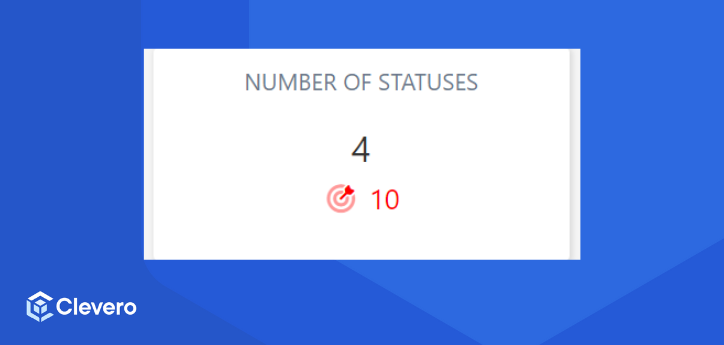
Example Configuration
{
    "type": "grouped-count",
    "title": "Number of Statuses",
    "config": {
        "field": "status",
        "defaultStyle": {
            "icon": "",
            "color": "default",
            "labelAlign": "center"
        },
        "ignoreKeys": ["[]"],
        "secondaryValueDisplay": "function({ primaryValue, secondaryValue, formatNumber }){ const number = 10; return {value: `${formatNumber(number, 'en-AU', { minimumFractionDigits: 0, maximumFractionDigits: 0 })}`,icon: 'fa-duotone fa-bullseye-arrow',color: 'red',size: 'sm'}}",
        "secondaryFilter": [
            {
                "subject": "start-date",
                "requestType": "i",
                "type": "date",
                "operator": "on_or_after",
                "value": {
                    "relative": true,
                    "type": "minus_years",
                    "value": 1
                }
            }
        ]
    }
}
Let's break down each component of the configuration:
| Options | Details |
|---|---|
type | The type, always grouped-count. |
title | The title of the widget to show. |
filter | A Clevero filter array. Use this to filter results from both primaryFilter and secondaryFilter. |
field | The internal ID of the field on this record to perform the average calculation over. |
prefix | Text to display before the number. |
suffix | Text to display after the number. |
decimal | Whether or not to use decimal places. If false or not set, the value will be rounded to the nearest integer. |
decimalPlaces | The minimum and maximum number of decimal places to show. |
numberFormat | It formats the output number to have commas. By default, it is en-US, but you can also have values like en-AU, de-DE, en-IN, etc. |
primaryFilter | A Clevero filter array. Use this to filter results for primary values of the widget. |
secondaryFilter | A Clevero filter array. Use this to filter results for secondary values of the widget. |
defaultStyle |
|
secondaryValueDisplay | The primary and secondary values or calculations are based on these values. |
📌 Need Help?

Updated about 1 year ago
Did this page help you?