
Login Activity Logs
The Login Activity Logs page allows you to view and download login activity for users registered in your Clevero app. Use this page to monitor when and where users have logged in and review their recent login history.
View Login Activity
When you open the Login Activity Logs page, you’ll see a list of users registered in your Clevero app.
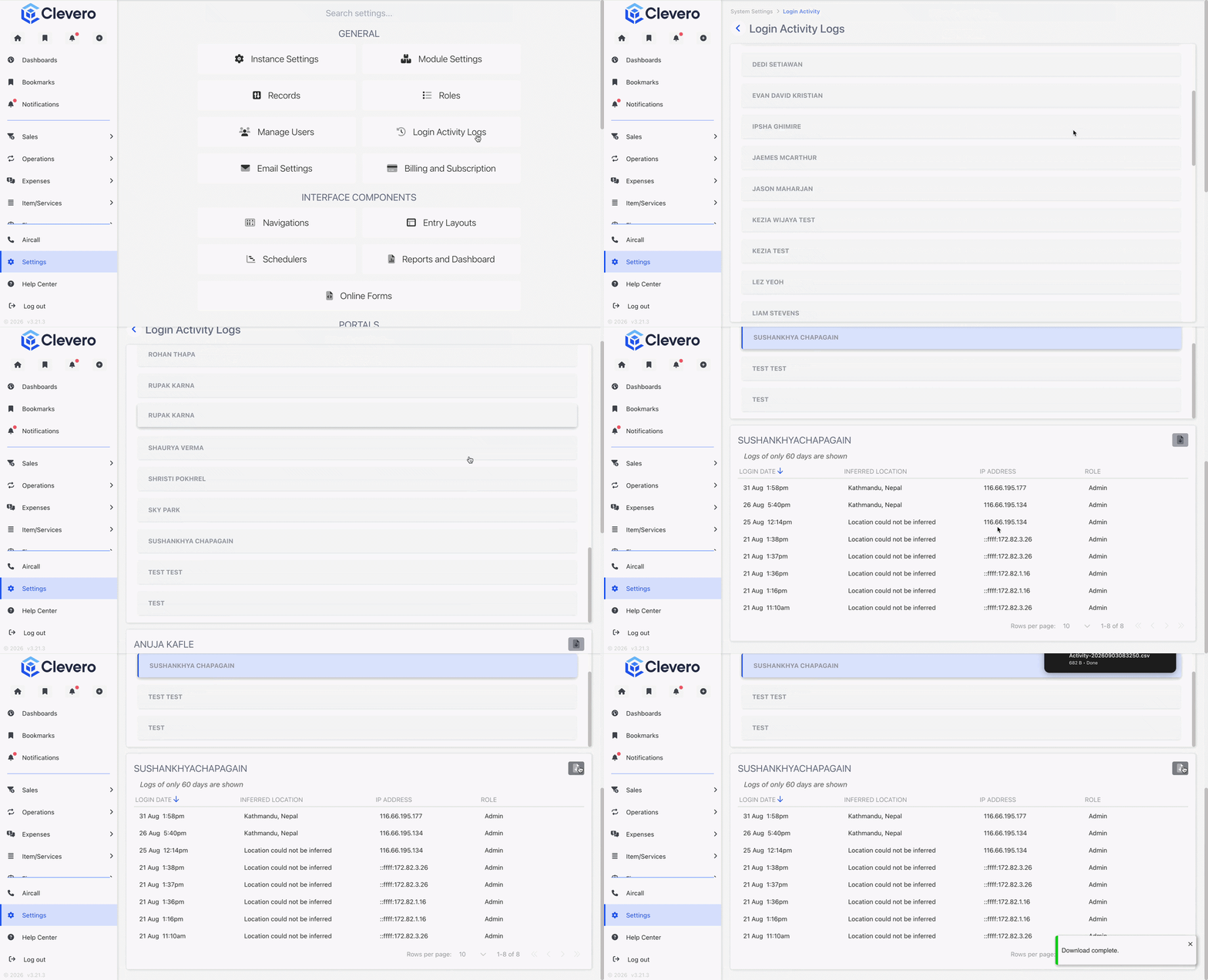
To view a user's login activity:
- Select Settings > System Settings.
- Open Login Activity Logs.
- Click a user's name.
- View the user's login activity for the last 60 days.
Each login log includes the following information:
- Date: The date and time of the login.
- Location: The location associated with the login.
- IP Address: The IP address used to log in.
- Role: The user's role in the Clevero app.
Download Login Logs
You can download a user's login activity as a CSV file for further analysis or reference. To download the logs, open the user's login activity and click the download button.
📌 Need Help?

Updated about 2 months ago
Did this page help you?