
Embedding Options
To learn about the different embedding options available, refer to the following instructions.
1. IFRAME
Use this option to embed the form as an IFRAME.
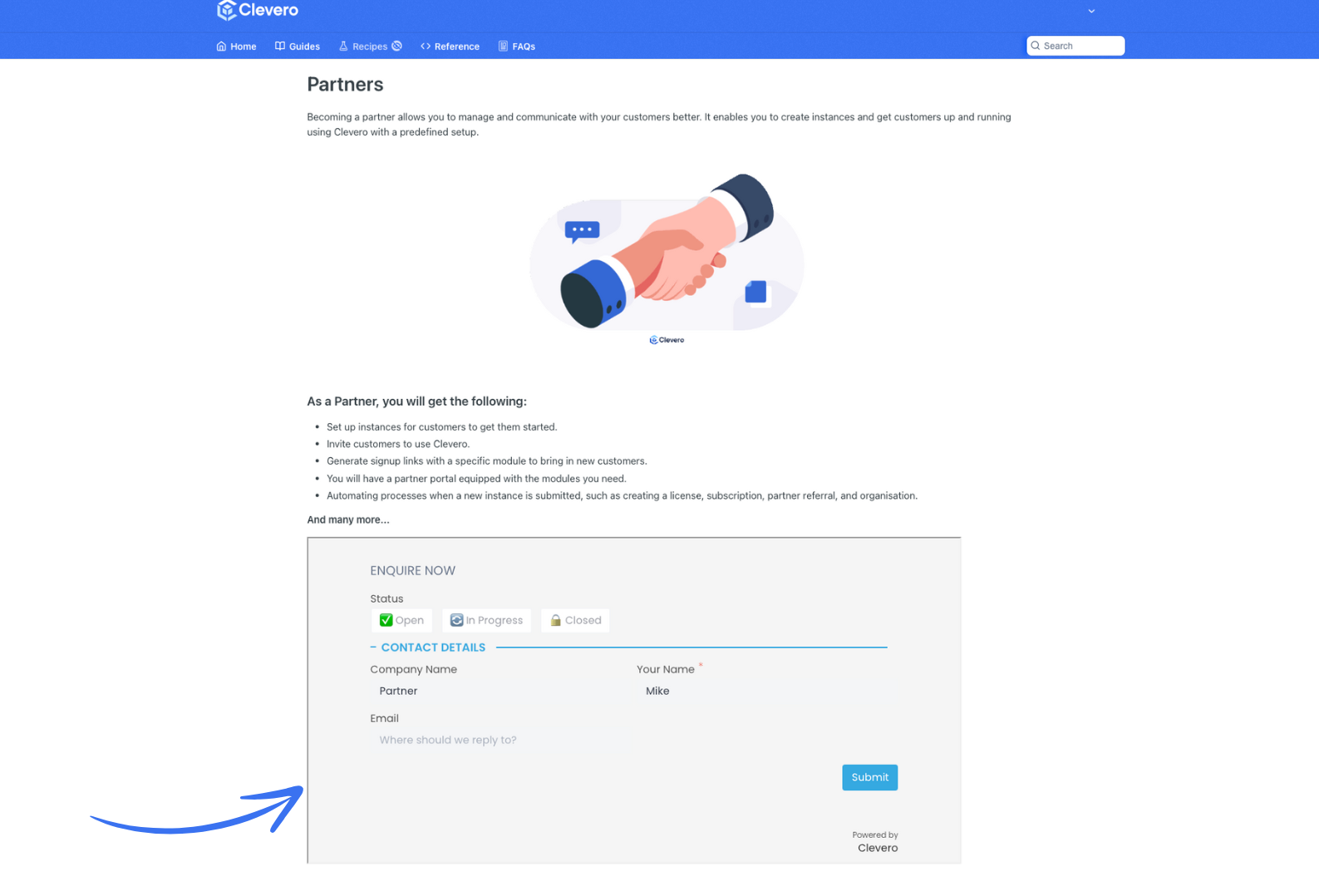
Configuration
<iframe
    src="https://forms.clevero.co/[uniqueId]/[accessKey]"
    width="700"
    height="500">
</iframe>
InfoTo embed using IFRAME, copy and paste the code into the
<div>where you want your form to appear.
2. INLINE
The INLINE option embeds the form seamlessly within the container and automatically adjusts to the container’s dimensions.
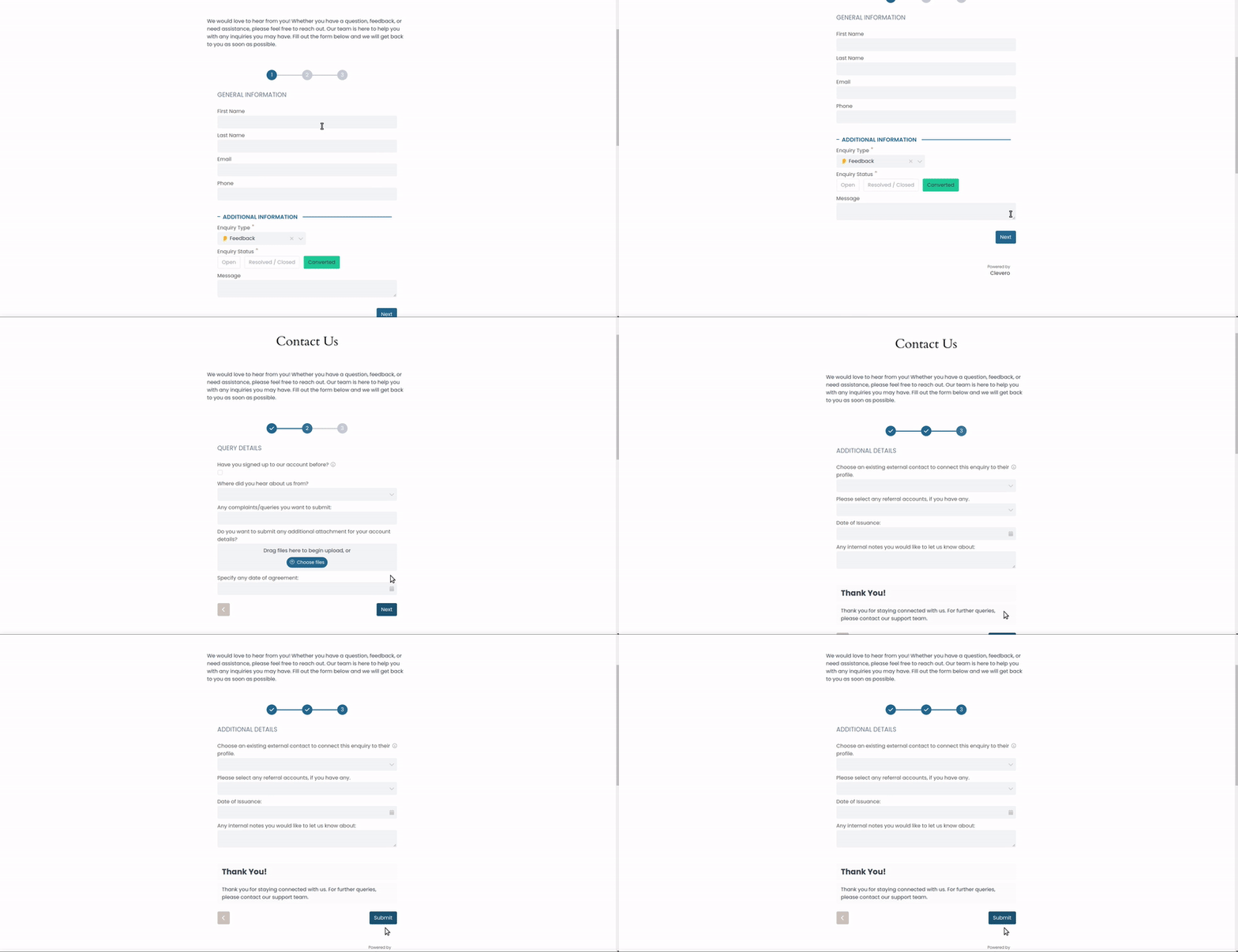
Configuration
{
    "elementId": "clevero-forms",
    "formURL": "https://forms.clevero.co/[uniqueId]/[accessKey]",
    "embeddingConfig": {
        "embedType": "INLINE"
    }
}| Key | Type | Mandatory/Optional | Values | Description |
|---|---|---|---|---|
embedType | string | Mandatory | INLINE | Inline embedding |
colors | object | Optional | | This overwrites the colour config from the form. It does not update the actual colour config in the online form. |
3. POPUP
Use this option to display the form in a modal popup triggered by a button.
A button, with the embedButton text you choose, will be rendered in the target div. When you click the button, a modal with your selected forms will appear.
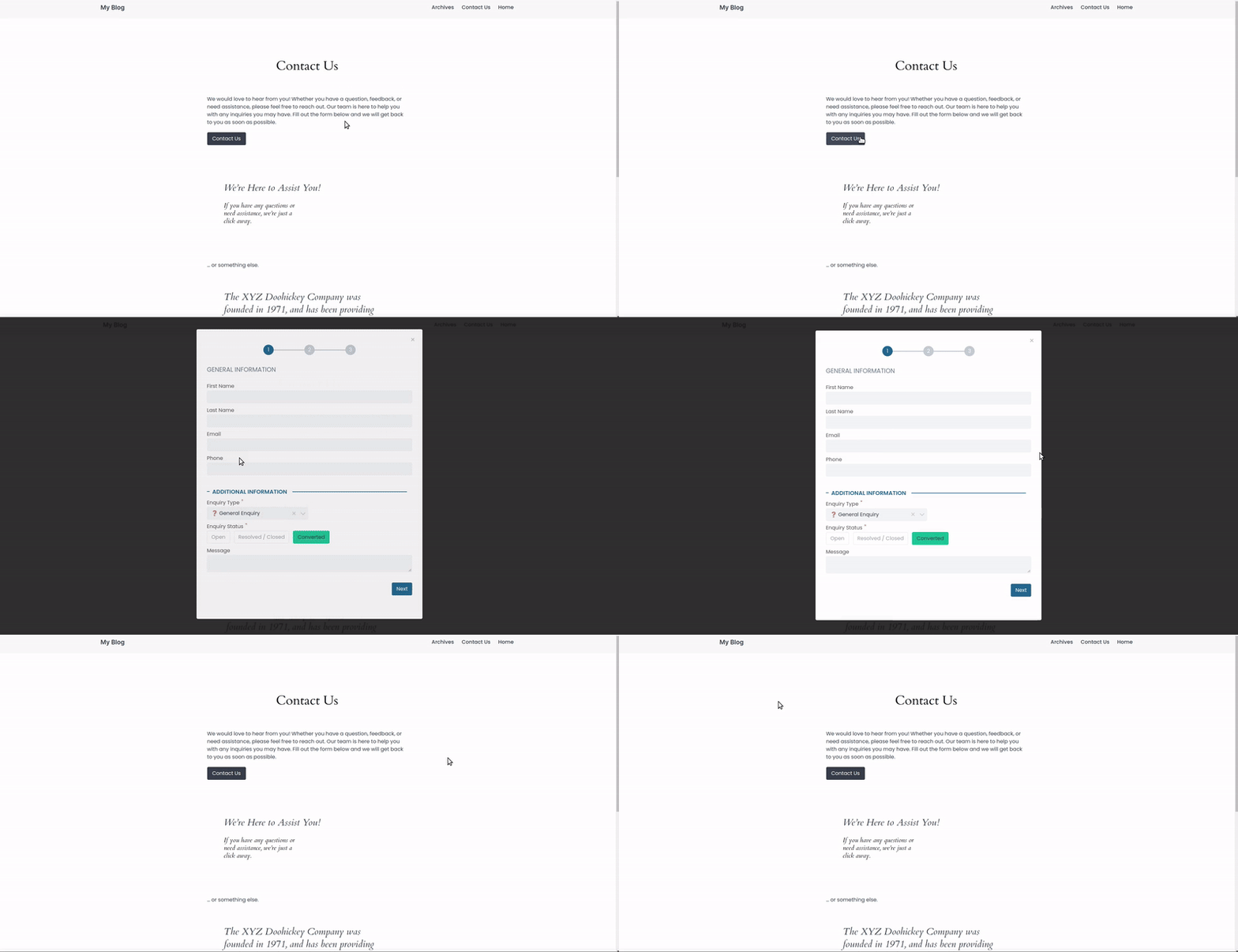
Configuration
{
    "elementId": "clevero-forms",
    "formURL": "https://forms.clevero.co/[uniqueId]/[accessKey]",
    "embeddingConfig": {
        "embedType": "POPUP",
        "dimensions": {
            "width": 700,
            "height": 500
        },
        "colors": {
            "background": "#ff0000",
            "primary": "#ff0000",
            "secondary": "#ff0000"
        },
        "embedStyle": {
            "embedButton": {
                "text": "Click Me",
                "background": "#E45826"
            },
            "embedModalBackdrop": {
                "blurRadius": 1,
                "brightness": 0.5,
                "contrast": 0.5,
                "backgroundScroll": false
            },
            "embedModal": {}
        }
    }
}| Key | Type | Mandatory/Optional | Values | Description |
|---|---|---|---|---|
embedType | string | Mandatory | POPUP | Popup embedding |
dimensions | object | Optional | | Defines the width and height of the popup modal. |
colors | object | Optional | | This overwrites the colour config from the form. It does not update the actual colour config in the online form. |
embedStyle | object | Optional | | Defines styles for the button, modal, and position. |
embedButton | object | Mandatory | | The targets button is embedded on the client’s website. |
embedModalBackdrop | object | Optional | | Target styles of embed modal backdrop,
|
embedModal | object | Optional | | Target styles of the modal are inside which Clevero’s form is rendered. |
4. SLIDER
The SLIDER option renders a button that, when clicked, displays a form sliding in from the chosen position.
A button, with the embedButton text you choose, will be rendered in the target div. When you click the button, a modal with the selected forms will slide through your chosen position.
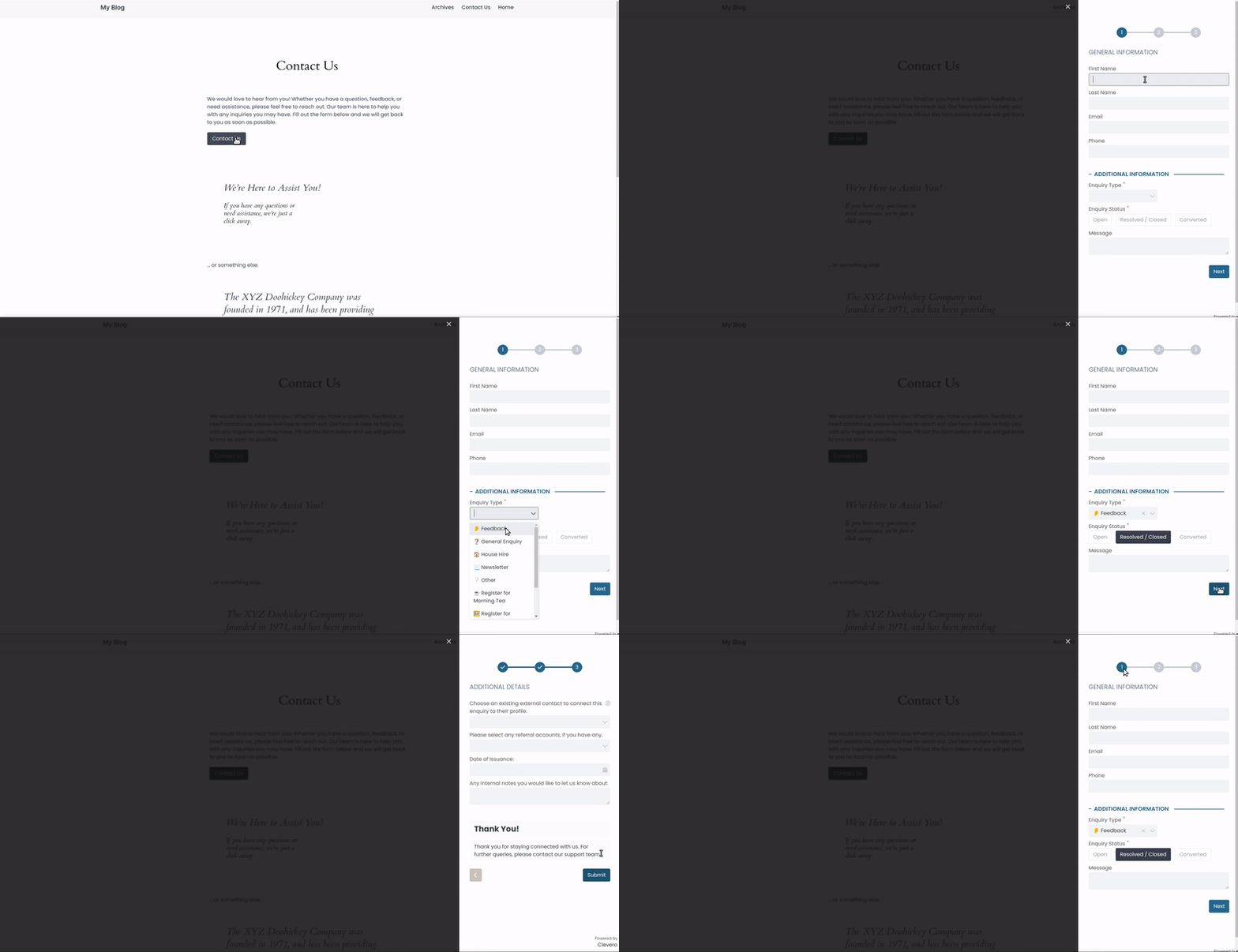
Configuration
{
    "elementId": "clevero-forms",
    "formURL": "https://forms.clevero.co/[uniqueId]/[accessKey]",
    "embeddingConfig": {
        "embedType": "SLIDER",
        "dimensions": {
            "width": 700
        },
        "colors": {
            "background": "#ff0000",
            "primary": "#ff0000",
            "secondary": "#ff0000"
        },
        "embedStyle": {
            "embedButton": {
                "text": "Click Me",
                "background": "#E45826"
            },
            "embedModalBackdrop": {
                "blurRadius": 1,
                "brightness": 0.5,
                "contrast": 0.5,
                "backgroundScroll": false
            },
            "embedModal": {},
            "embedPosition": {
                "position": "slide-right"
            }
        }
    }
}
| Key | Type | Mandatory/Optional | Values | Description |
|---|---|---|---|---|
embedType | string | Mandatory | SLIDER | Slider embedding. |
dimensions | object | Mandatory | | Defines the width of the slider. Height is not required. |
colors | object | Optional | | This overwrites the colour config from the form. It does not update the actual colour config in the online form. |
embedStyle | object | Optional | | Defines styles for the button, modal, and position. |
embedButton | object | Mandatory | | The targets button is embedded on the client’s website. |
embedModalBackdrop | object | Optional | | Target styles of embed modal backdrop,
|
embedModal | object | Optional | | Target styles of the modal are inside which Clevero’s form is rendered. |
embedPosition | object | Mandatory | | Targets the transition of our slider. The default position is |
5. POPOVER
When you choose the POPOVER embedding type, a button with the text you specify will appear at one of the following four positions:
top-rightbottom-righttop-leftbottom-left
When the button is clicked, a modal with your chosen forms will be rendered.
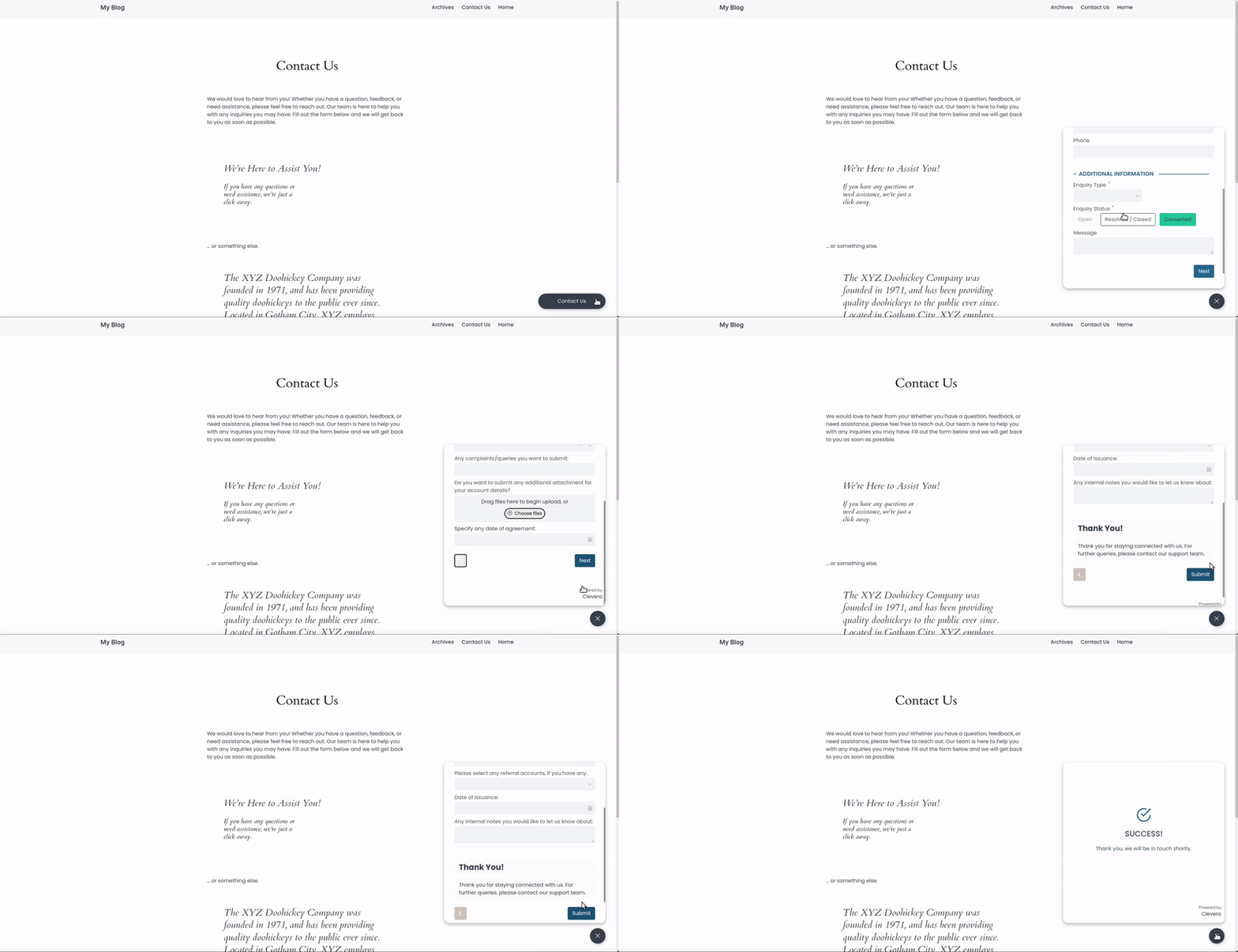
Info:Make sure there is a
divwith the sameidas yourelementIdfor the popover to display. This is necessary even though the button's position is fixed.
Configuration
{
    "elementId": "clevero-forms",
    "formURL": "https://forms.clevero.co/[uniqueId]/[accessKey]",
    "embeddingConfig": {
        "embedType": "POPOVER",
        "dimensions": {
            "width": 700,
            "height": 500
        },
        "colors": {
            "background": "#ff0000",
            "primary": "#ff0000",
            "secondary": "#ff0000"
        },
        "embedStyle": {
            "embedButton": {
                "text": "Click Me",
                "background": "#E45826"
            },
            "embedModal": {},
            "embedPosition": {
                "position": "top-right"
            }
        }
    }
}| Key | Type | Mandatory/Optional | Values | Description |
|---|---|---|---|---|
embedType | string | Mandatory | POPOVER | Popover embedding. |
dimensions | object | Mandatory | | Defines the width and height of the iframe. |
colors | object | Optional | | This overwrites the colour config from the form. It does not update the actual colour config in the online form. |
embedStyle | object | Optional | | Defines styles for the button, modal, and position. |
embedButton | object | Mandatory | | The targets button is embedded on the client’s website. |
embedModal | object | Optional | | Target styles of the modal are inside which Clevero’s form is rendered. |
embedPosition | object | Mandatory | | Targets the position of where we want the The default position is Additional values for the bottom and right can be sent through for position |
📌 Need Help?

Updated over 1 year ago