
Records and Entries
👨🏻💻 Unlock the power of data organization with Clevero's record management features!
The most fundamental building blocks of data in Clevero are Records and Entries.
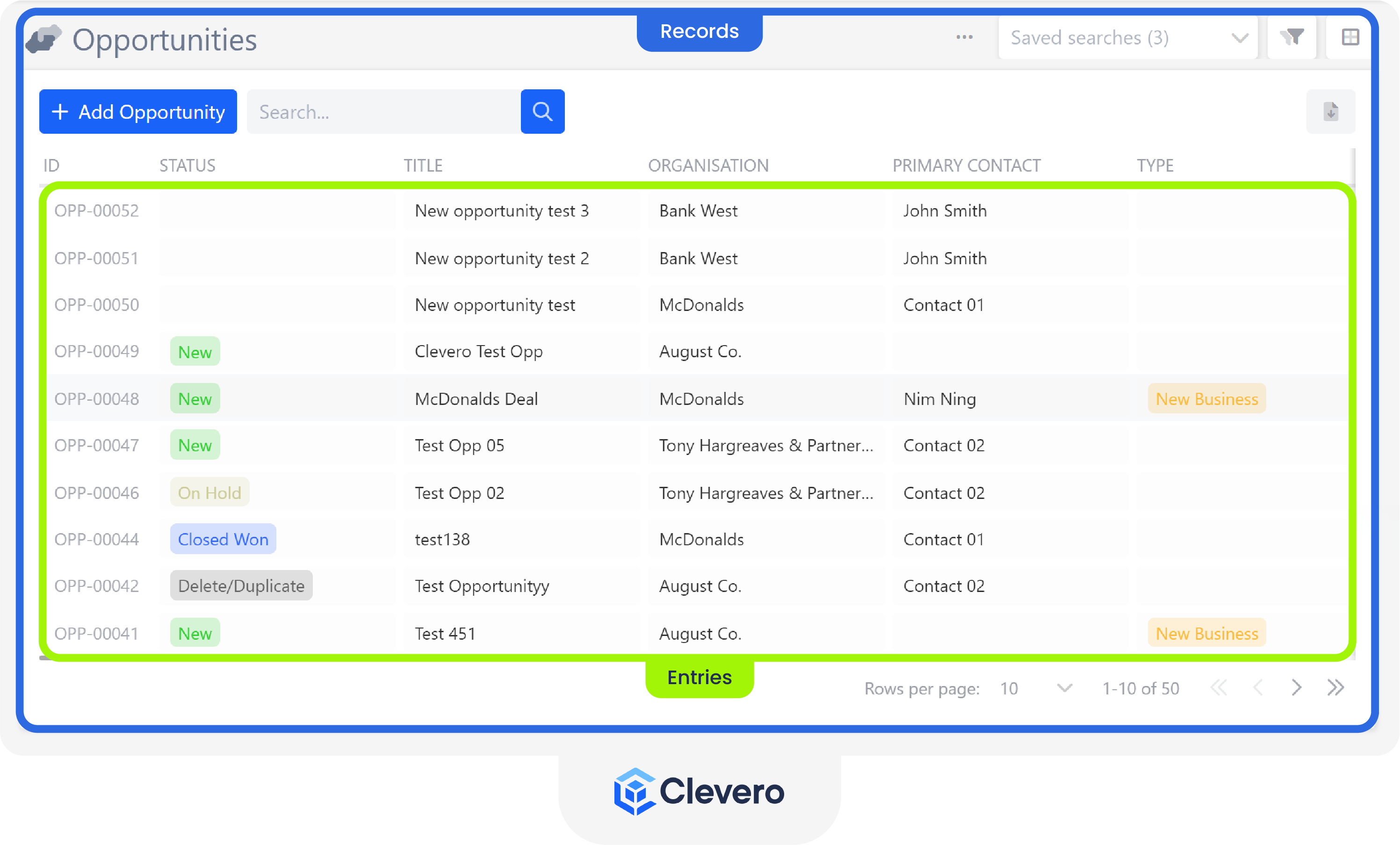
1. Records
Records are the building blocks of data in Clevero that define how data is structured and stored.
Each record has its properties, including Fields, Auto ID Schema, and linked configurations like Layouts that determine how data is displayed to users in different contexts. Examples of Records would be an Invoice object or a Sales Opportunity object.
To create or modify a record, follow the steps in the video demo below.
You can also follow the written steps guide below.
- Go to "Settings" > "System Settings".
- Click on "Records".
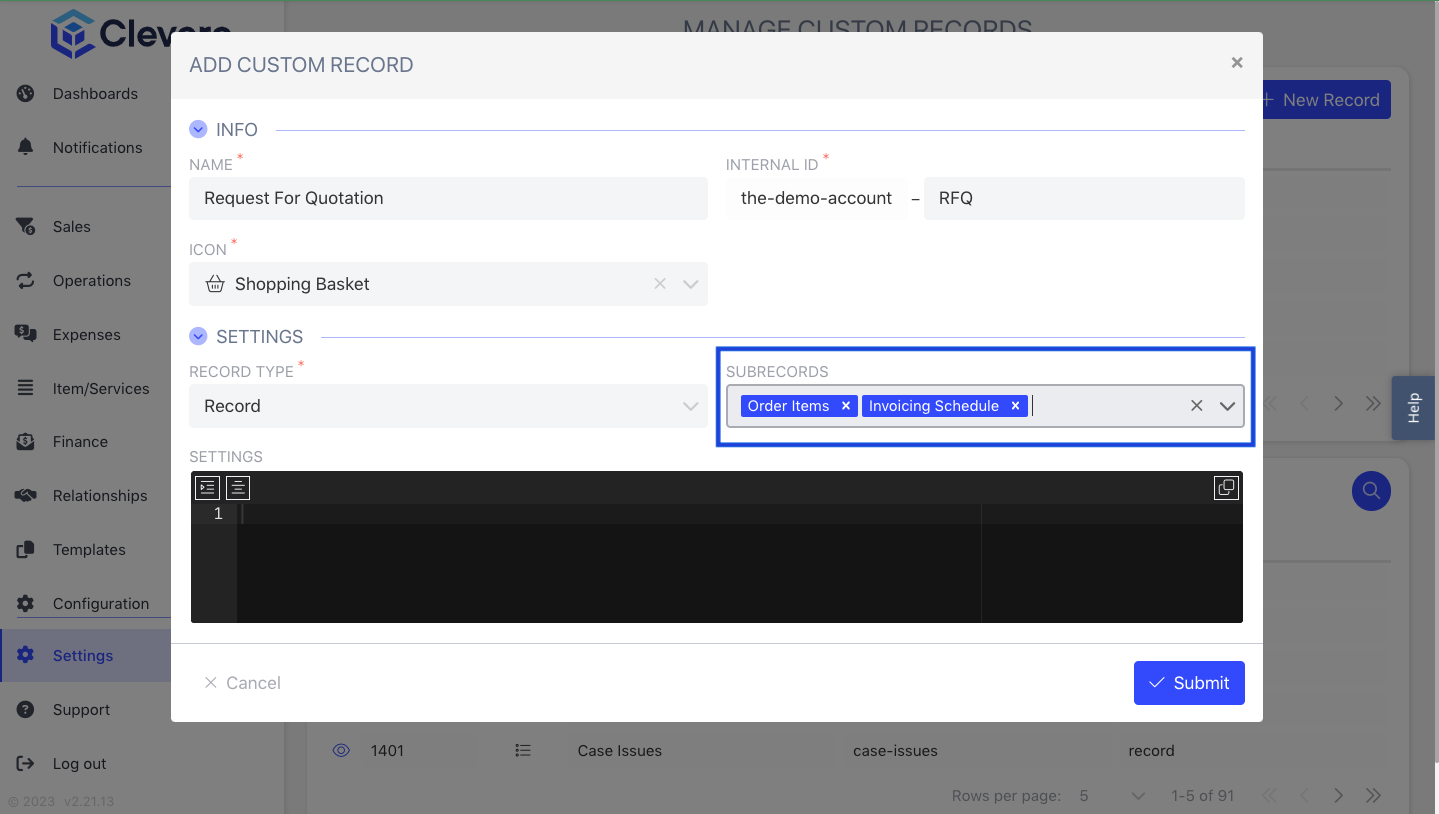
- Select "New Record".
- Fill in all required fields. Here's a description of each:
- Name: It refers to a record's identifiable label or title. For example, an invoice record might have a name like "Invoices" or "Monthly Sales Report."
- Internal ID: A unique identifier assigned to each record within Clevero's system. It serves as a backend reference that helps identify and differentiate records programmatically.
- Icon: A visual representation or symbol associated with a record. Icons are often used to provide a quick visual reference and aid in recognizing and navigating records.
- Set the "Record Type" to "Record".
- Configure the record settings as needed:
- Subrecords: Enable this option if the record can contain subrecords.
- Can Be Used in Portals: Enable this option to make the record available in portals.
- Me Field: Specify the field that represents the current user for this record, if applicable.
- Team Field: Specify the field that identifies the team associated with the record.
- Group Fields: Configure fields used to group records.
- Ignore Portal Scope Restriction: Enable this option to bypass portal scope restrictions for the record.
- DOCX Generator: Enable this option if the record supports DOCX document generation.
- Unified Search: Enable this option to include the record in unified search results.
- Click on the "Submit" button to save the changes.
Records vs. Subrecords
- Records store the main set of information (e.g., a customer profile, or project).
- Subrecords are linked to a record and help organise additional details in a structured way (e.g., notes, tasks, or supporting documents).
This makes Subrecords a useful way to streamline and structure related information within your records. For detailed instructions, please refer to the Sub-records guide.
2. Entries
Entries are rows of information that belong to a given Record. In other words, they represent specific instances or examples of the data stored within a Record. For example, if we consider the "invoices" Record, each entry would correspond to a unique and specific invoice stored in Clevero.
It's important to understand the distinction between the concept of the Record and its corresponding Entries.
- When we refer to "invoices" as a concept or object within the system, we are talking about the overarching Record that encompasses all the invoices.
- On the other hand, when we mention something like "Invoice #13342," we are referring to a specific Entry within the "invoices" Record, highlighting an individual invoice with a particular identification number.
📌 Need Help?

Updated 3 months ago