
How to Enable Google Calendar
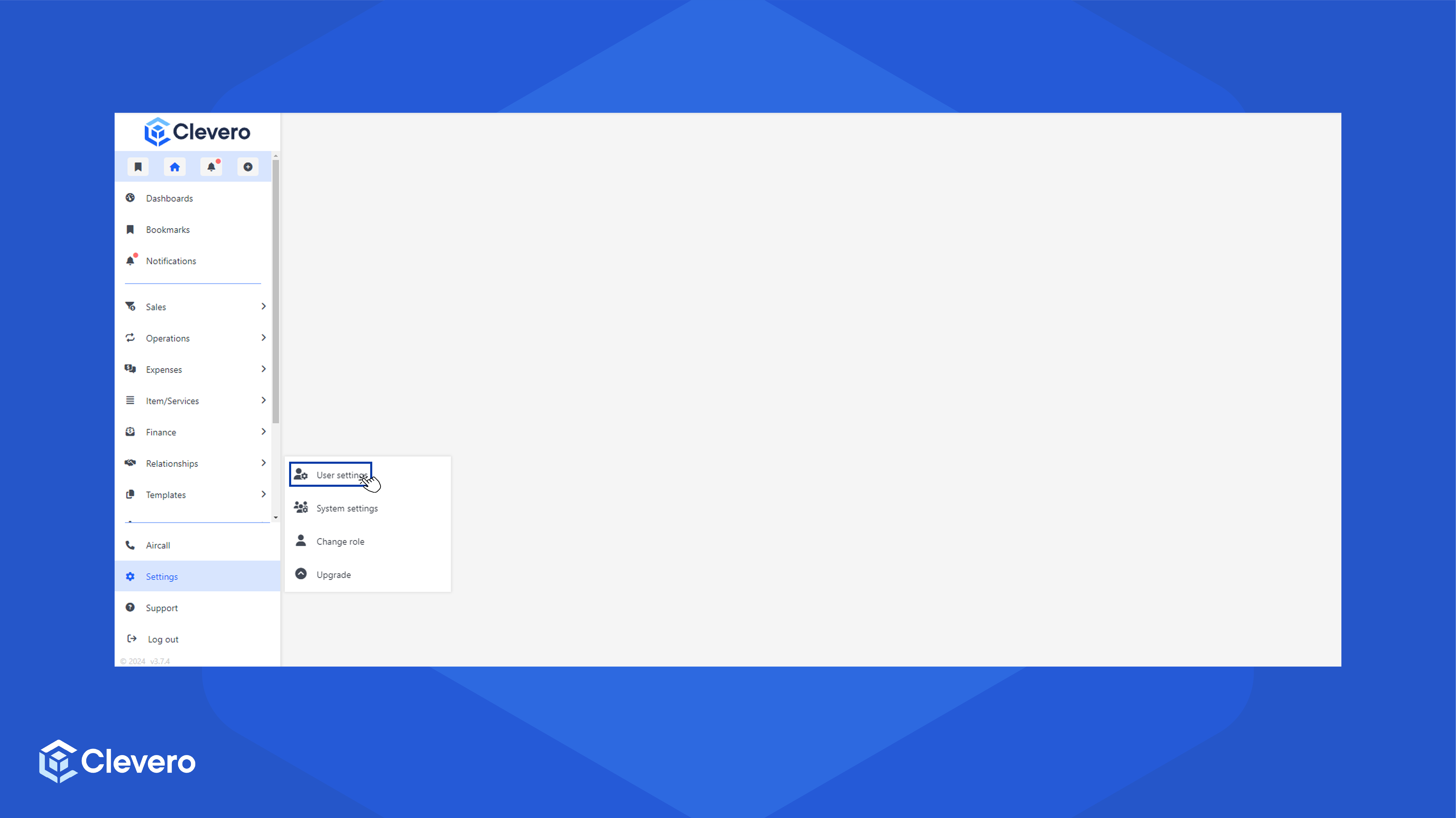
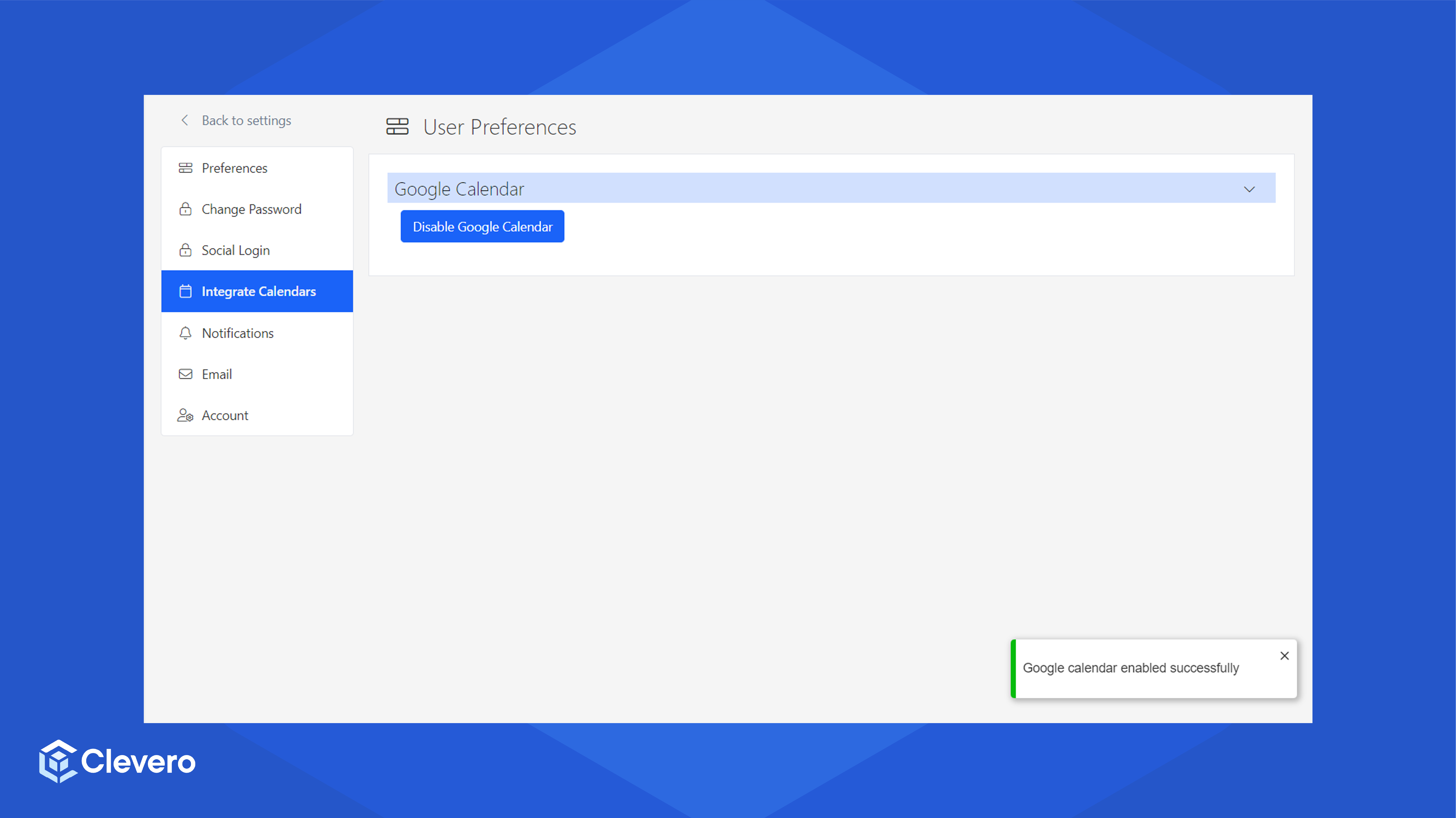
- To enable Google Calendar, go to Settings, then click User Settings.
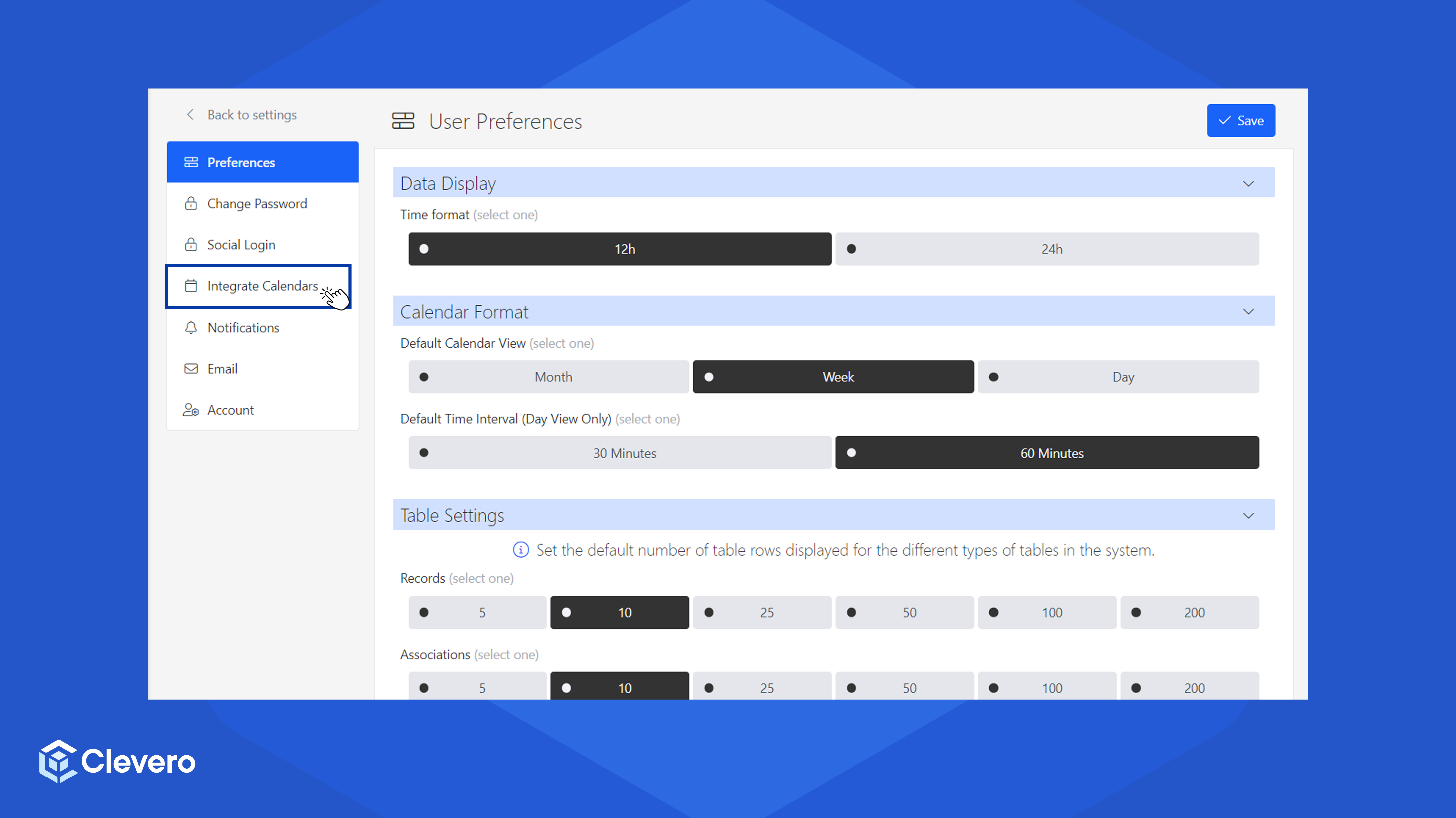
- Click on the Integrate Calendars tab.
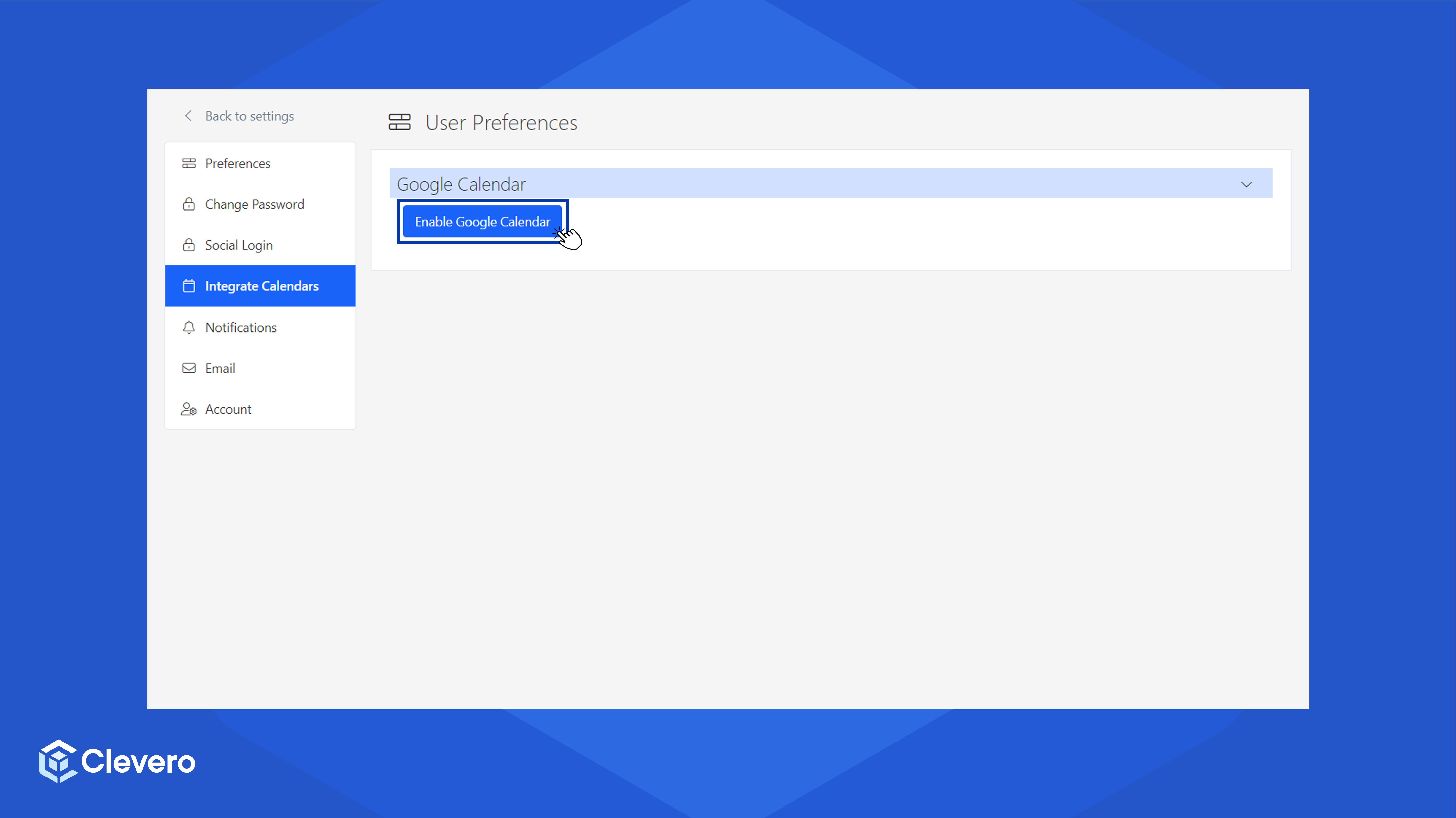
- Click Enable Google Calendar.
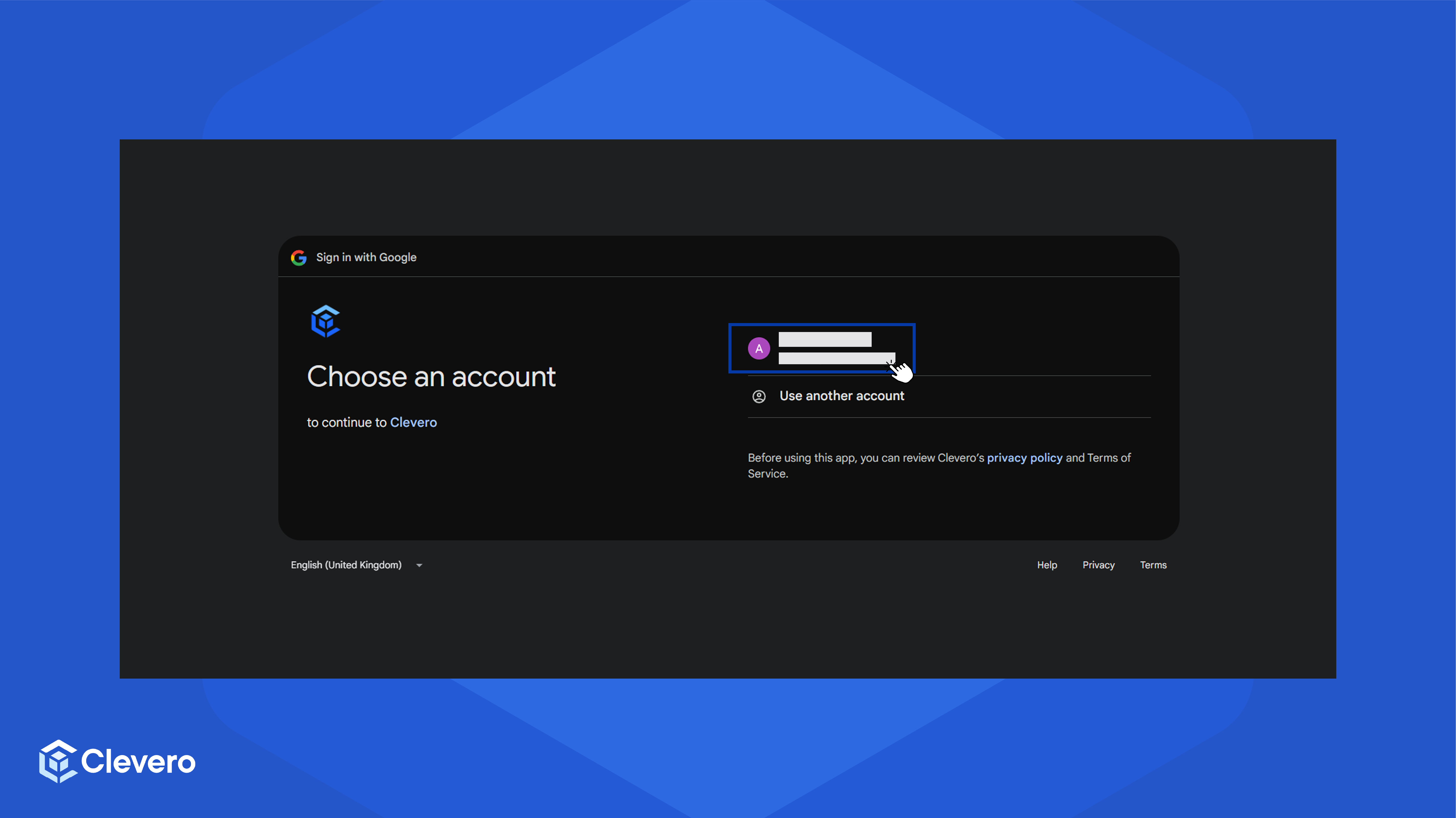
- If this is your first time, you will be redirected to Google authentication page. Click on any Google account that you wish to integrate, then click Continue to give Clevero access to your Google Calendar.
- Google Calendar is now enabled.
📌 Need Help?

Updated over 1 year ago
Did this page help you?