
Email Features
💌 Learn how to compose and send emails using Clevero's email composer tool.
Seamlessly attach files from system records, connect with associated contacts, and harness the efficiency of pre-designed templates.

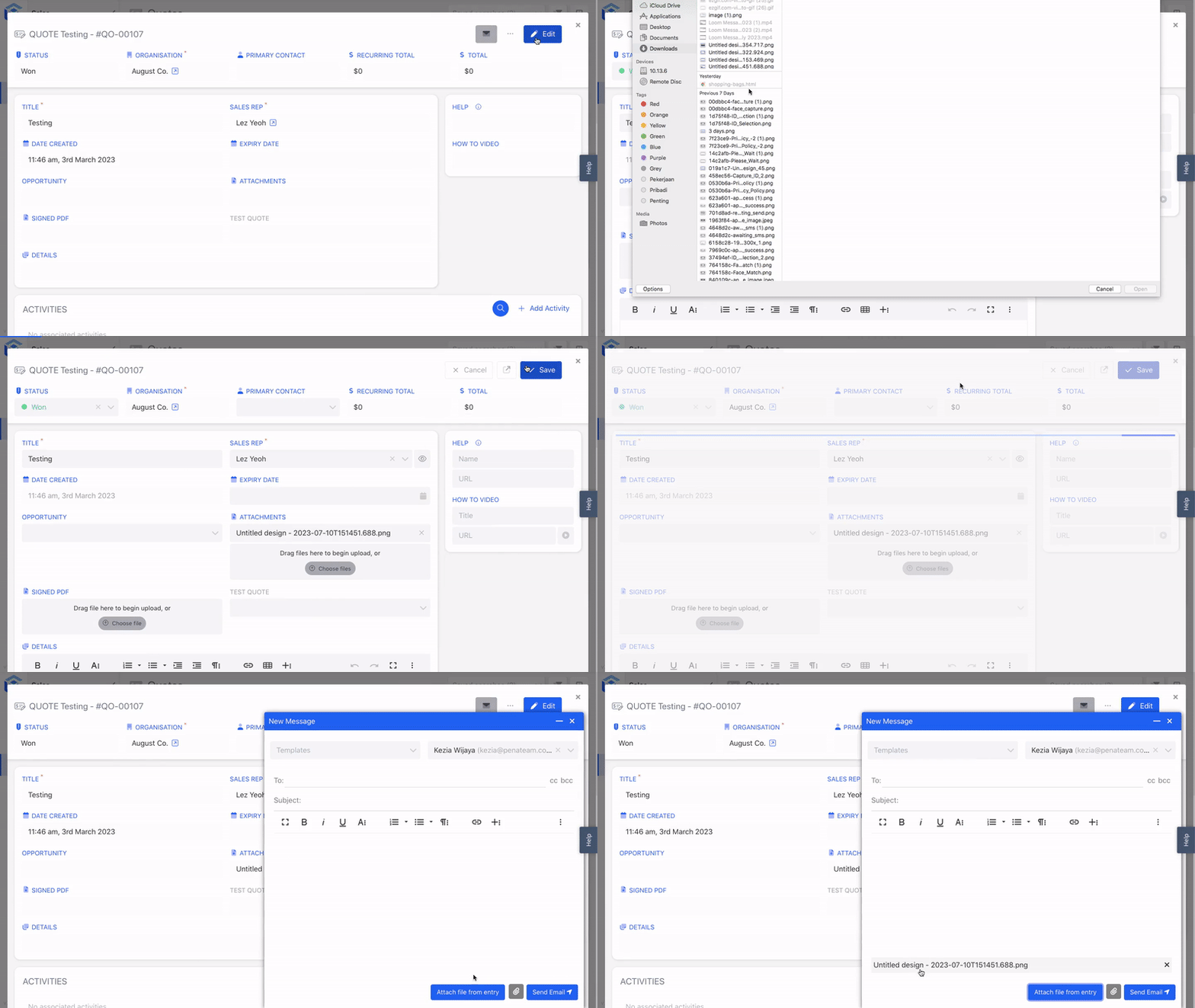
Attach File from Entry
We let users enhance their email compositions by including files from the system's records as attachments.
For example, a project manager sends an email to a client. With this feature, the project manager can easily attach relevant files directly from the record entries, such as project reports or design drafts.
Send an Email from an Associate Record
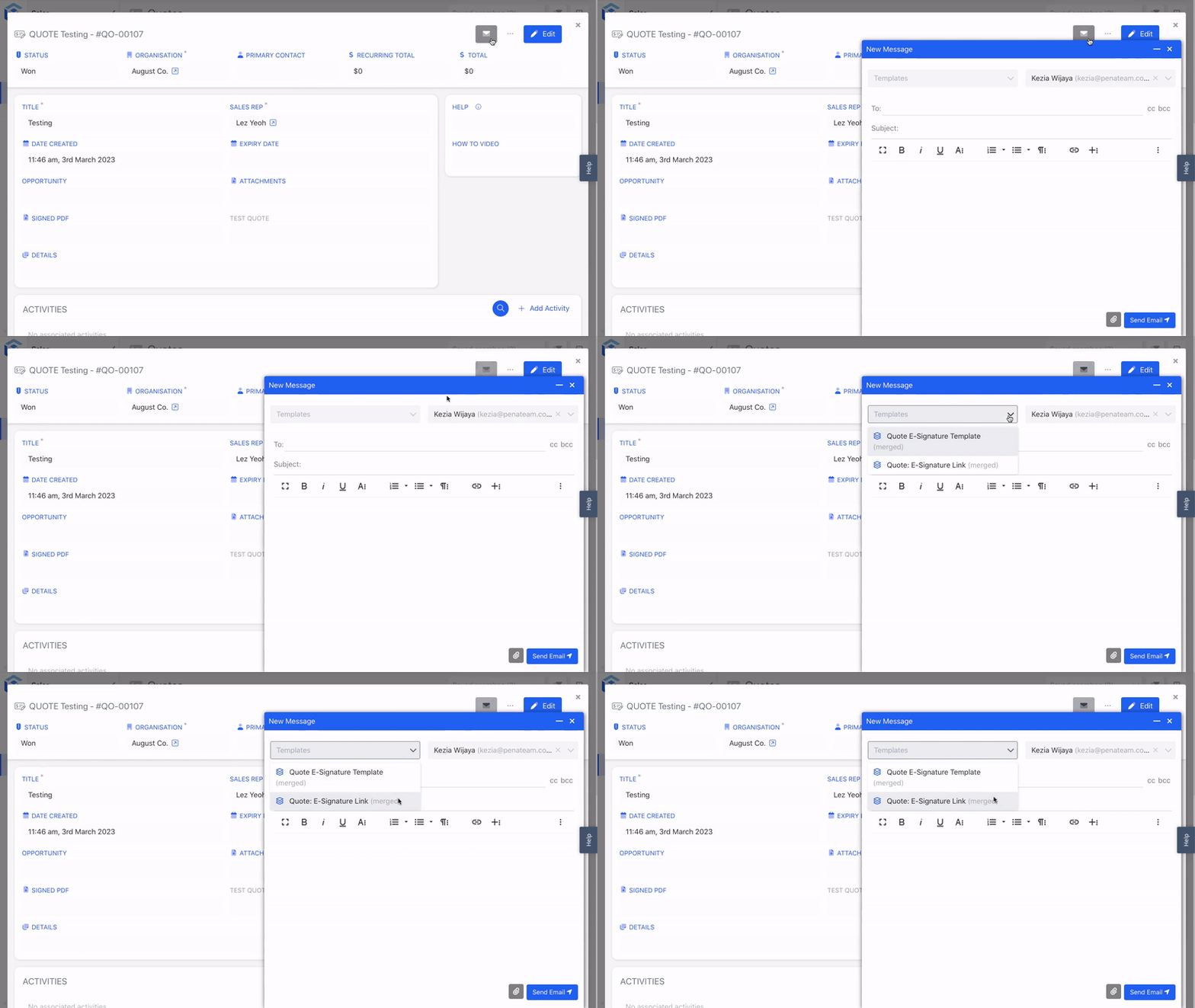
We simplify communication by allowing users to send emails to associated contacts or individuals within the system.
Let's say a sales representative needs to send a follow-up email to a customer. This feature lets the sales representative directly select and email the associated customer contact linked to the sales record. This eliminates the need for manual entry or external searches for email addresses.
Info:Please see Email Configurations page for more details.
Email Templates
We provide a pre-defined template that users can utilise to streamline and expedite their email composition process.
For example, imagine a marketing team sending out monthly newsletters. By referring to the Generic Template, the team can access a pre-designed newsletter template with a consistent layout and styling. This saves time and effort, as the team can fill in the content and personalise the newsletter before sending it out to subscribers.
Info:For a deeper understanding, go to the Generic Template.
Undo Email
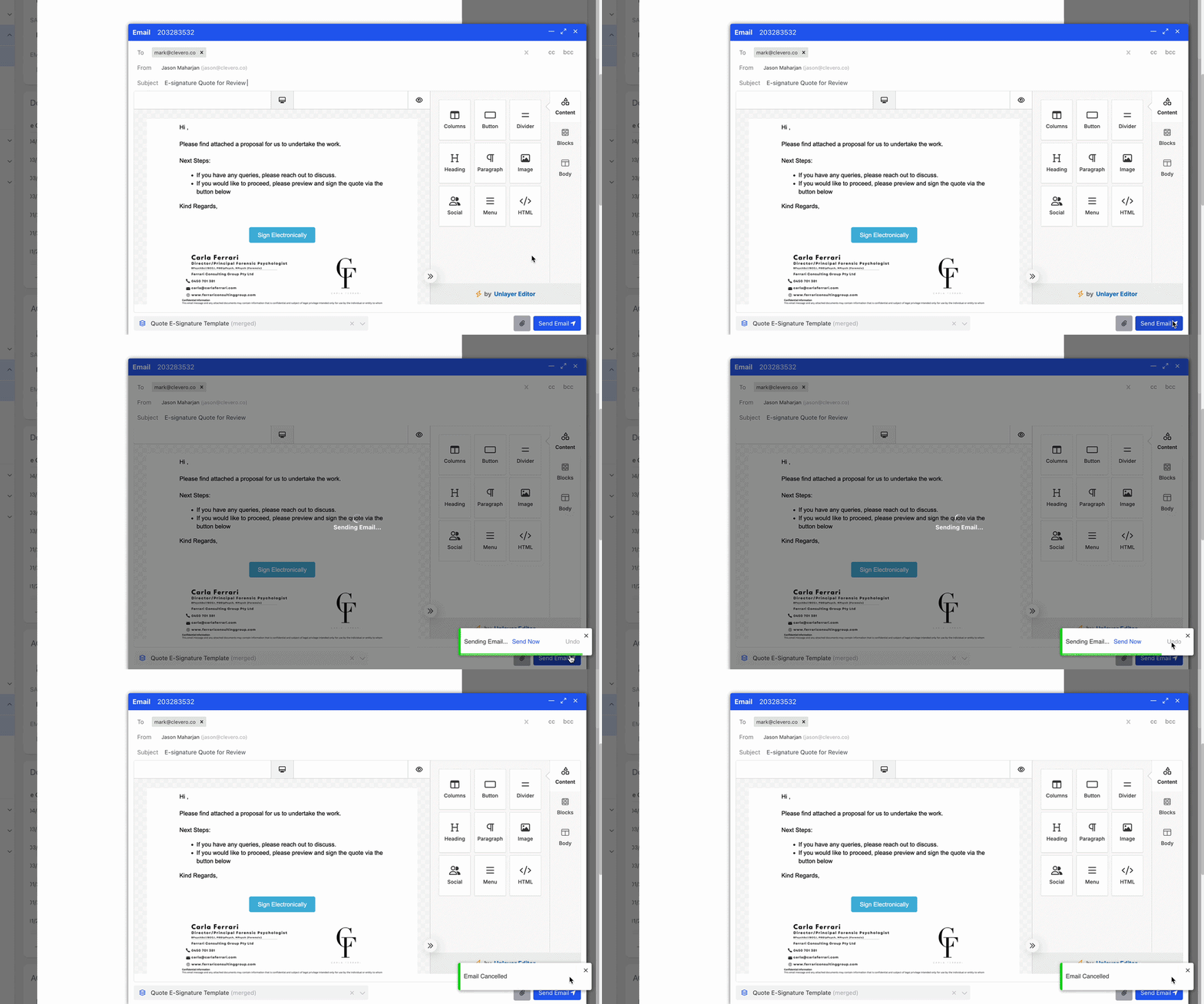
The system applies a short delay after you send an email. During this period, you can undo the email to cancel delivery.
📌 Need Help?

Updated 6 months ago