
Line Graph
📉 Illustrate trends and patterns through interconnected data points.
A Line Graph is a graphical representation of data that uses points connected by straight lines to show trends, changes, or patterns over time or across continuous data points.
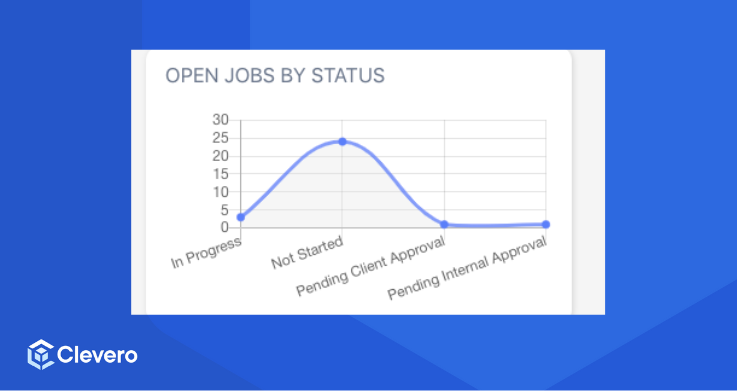
A Line Graph widget consists of two main sections:
config: Controls the appearance and layout of the graph.aggregation: Controls how the data is grouped, calculated, and sorted before display.
Complete JSON Example
{
  "config": {
    "type": "line-graph",
    "settings": {
      "title": "Monthly Tasks",
      "x-axis": {
        "accessor": "month",
        "label": "Month"
      },
      "y-axis": {
        "accessor": "tasks",
        "label": "Tasks",
        "prefix": "$",
        "maxDecimals": 1
      },
      "isGroupedData": false,
      "hideGrid": false,
      "hideLabels": false,
      "fill": "#8884d8"
    }
  },
  "aggregation": {
    "groupBy": [
      {
        "column": "assigned-date",
        "fn": "DATE_FORMAT",
        "config": {
          "type": "M"
        }
      }
    ],
    "functions": [
      {
        "column": "title",
        "fn": "COUNT",
        "alias": "tasks"
      },
      {
        "column": "assigned-date",
        "fn": "DATE_FORMAT",
        "config": {
          "type": "M"
        },
        "alias": "month"
      }
    ],
    "sort": {
      "sortBy": "assigned-date",
      "order": "asc"
    }
  },
  "base-record": "72911",
  "saved-search": "265745"
}
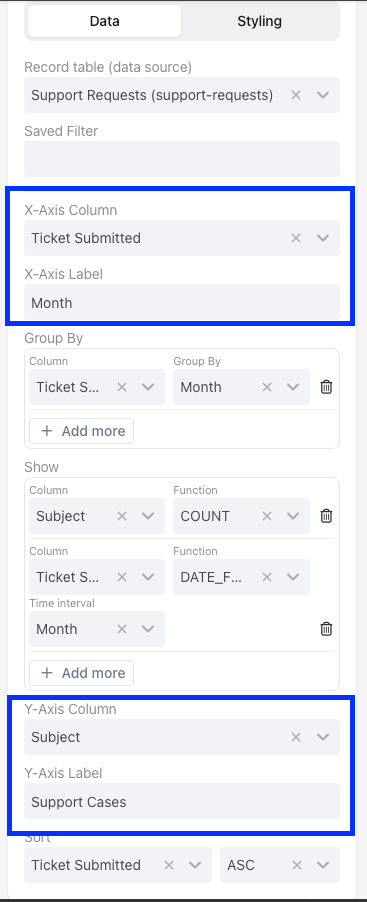
1. Widget Configuration (config)
config)This section configures the appearance and labelling of the Line Graph.
type: Specifies that the widget is a Line Graph.isGroupedData: Specifies whether the data is grouped. Iffalse, meaning each data point represents a distinct value.title: Sets the title of the graph.x-axis: Configures the X-axis (horizontal axis) of the graph.accessor: Specifies where the data for the X-axis comes from.label: Provides a label for the X-axis.y-axis: Configures the Y-axis (vertical axis) of the graph.accessor: Specifies where the data for the Y-axis comes from.label: Provides a label for the Y-axis.fill: Sets the fill colour of the data points.
JSON Example
{
  "type": "line-graph",
  "settings": {
    "isGroupedData": false,
    "title": "Monthly Tasks",
    "x-axis": {
          "accessor": "month",
          "label": "Month"
    },
    "y-axis": {
          "accessor": "tasks",
          "label": "Tasks"
    },
    "fill": "#8884d8"
  }
}
2. Widget Aggregation (aggregation)
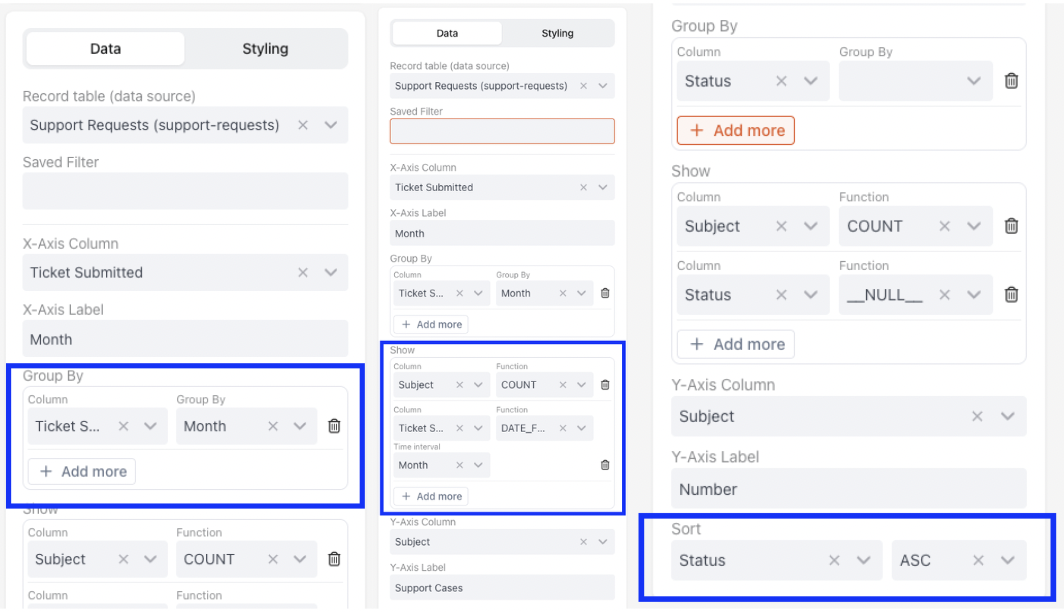
aggregation)This part defines how data is aggregated for the Line Graph. It specifies the columns to group by, functions to apply, and sorting order.
groupBy: Indicates that the specified column should group data within a specified date format.functions: Specifies functions to be applied to columns.
Function (fn) | What it does |
|---|---|
SUM | Adds all the numbers together |
COUNT | Counts how many entries are there |
AVG | Calculates the middle value |
MIN | Finds the smallest number |
MAX | Finds the largest number |
DATE_FORMAT | Groups messy dates into clean "Months" or "Weeks." |
__NULL__ | Just grabs the name/text without doing any math. |
sort: Specifies sorting based on the specified column in ascending order.
JSON Example
{
  "groupBy": [
  {
      "column": "assigned-date",
    "fn": "DATE_FORMAT",
     "config": {
         "type": "M"
     }
  }
  ],
  "functions": [
    {
          "column": "title",
          "fn": "COUNT",
          "alias": "tasks"
    },
    {
          "column": "assigned-date",
          "fn": "DATE_FORMAT",
       "config": {
               "type": "M"
       },
          "alias": "month"
    }
  ],
  "sort": {
        "sortBy": "assigned-date",
        "order": "asc"
    }
}
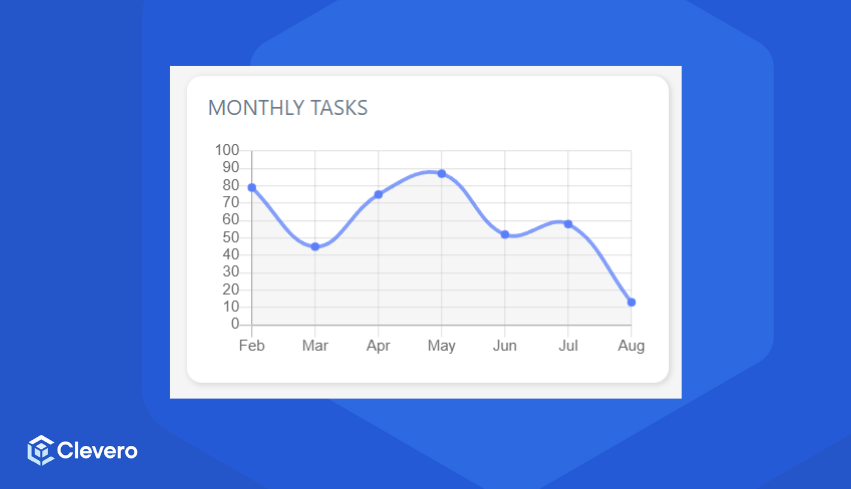
The example configuration above is shown as:
📌 Need Help?

Updated 5 months ago
Did this page help you?