
Tracking the Status of Your Support Requests
See where each of your submitted support or feature requests stands, without waiting on an email update.
1. Overview
Every support request or feature request you submit through the Help Center is tracked with a live status. You can check on any request at any time from the Help Center page, instead of emailing in to ask for a progress update.
2. Viewing Your Request Status
- Click Help Center in the left-hand navigation menu.
- On the Help Center page, your submitted requests are listed in a table below the search bar.
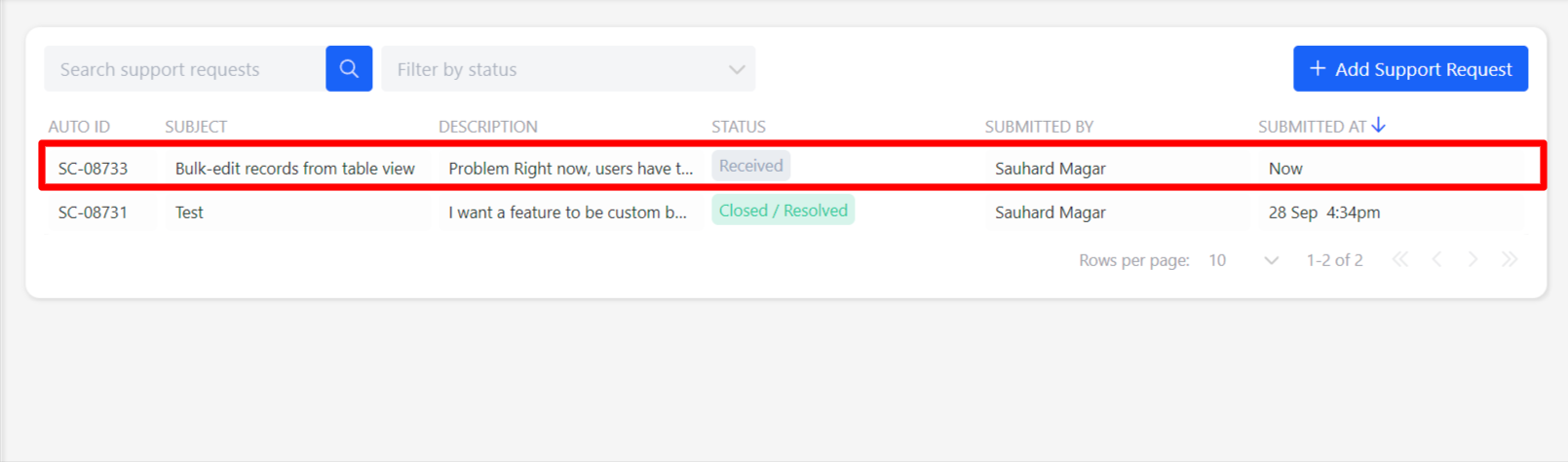
- Each row shows the request's Auto ID, Subject, Description, Status, who it was Submitted By, and when it was Submitted At.
- Use the Search support requests field to find a request by keyword, or the Filter by status dropdown to narrow the list.
3. Request Status
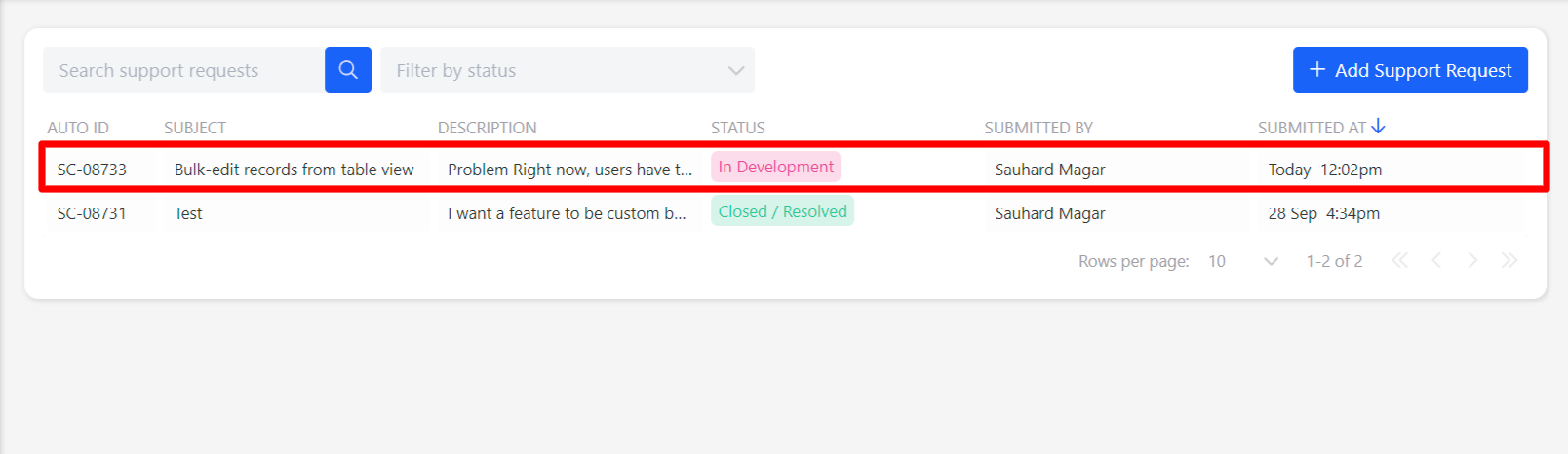
Each request shows its current status in the Status column. The status updates whenever the team changes it as they work on your request, so the Help Center list always shows where things stand.
4. Closing a Request
You can close your own request once you're satisfied it's resolved.
- Click the request in the list to open it.
- Click Close Ticket.
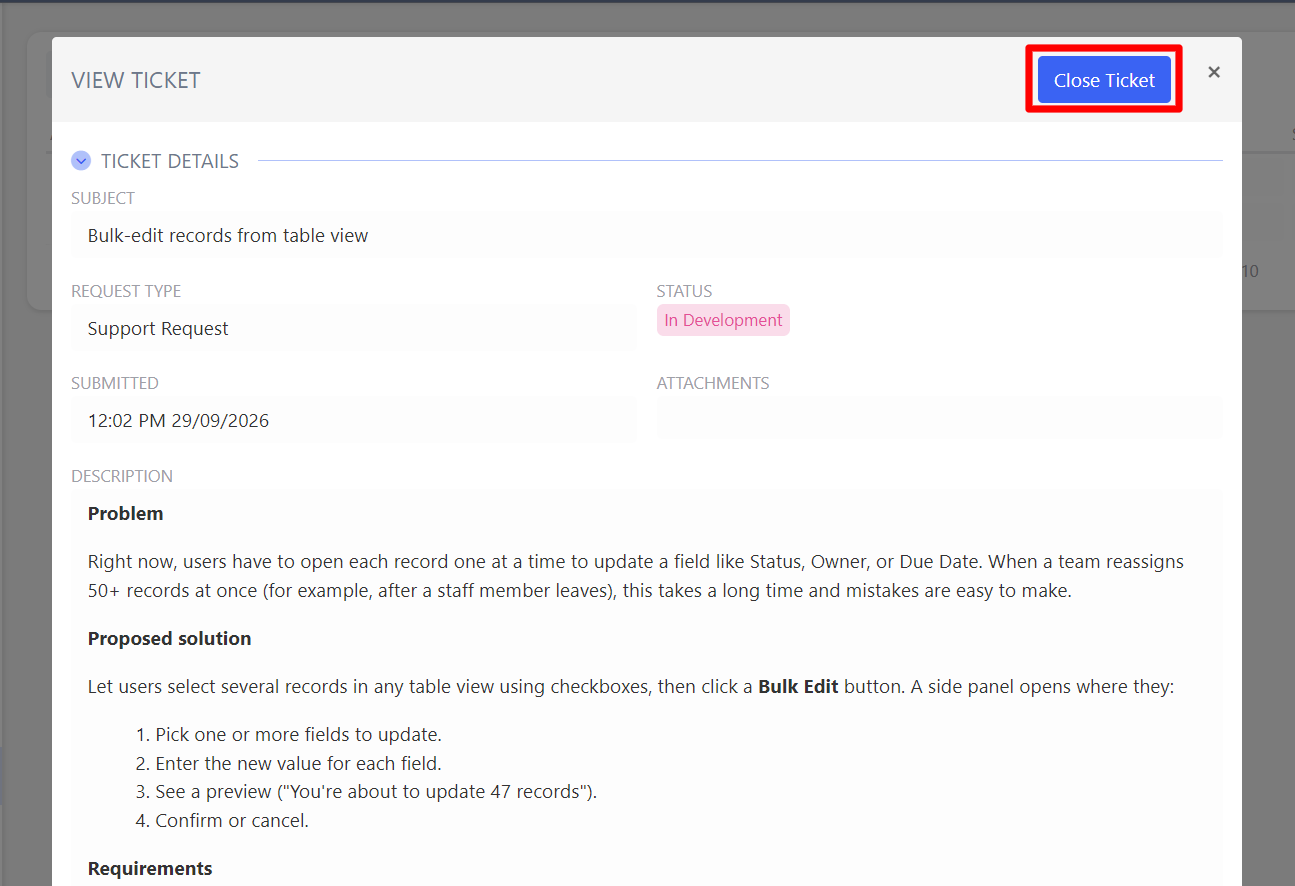
⚠️ Important: Closing a request is final. Once closed, it cannot be reopened or edited. If you need further action after closing a request, you will need to submit a new one.
5. Notes
- Only close a request once you are sure it is resolved. Closing is permanent.
📌 Need Help?
If you require assistance or encounter any issues, please don't hesitate to contact us for further support.
Updated about 3 hours ago