
🧾 Add titles and configure your form-data functionality.
1. Overview
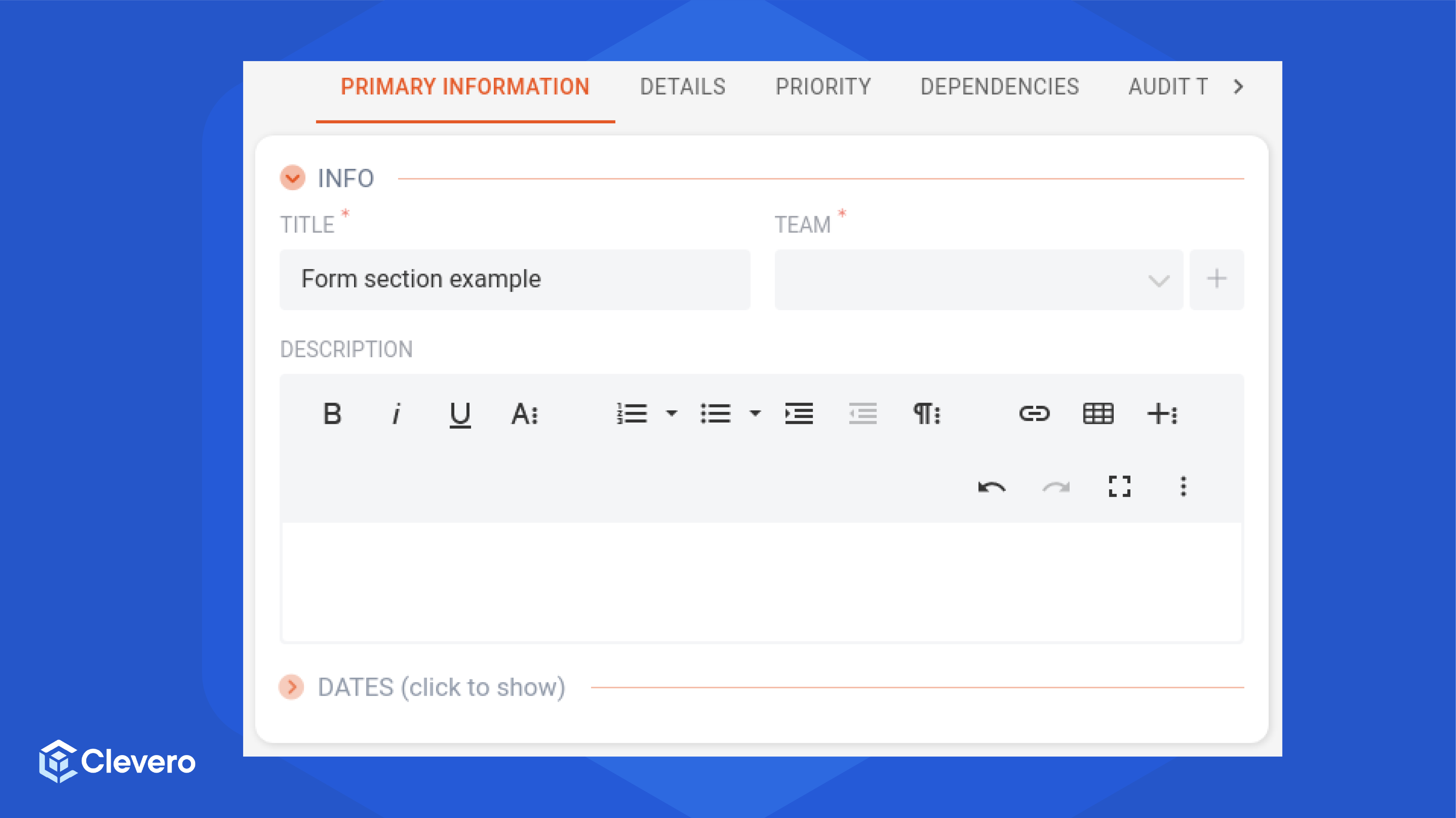
The form-section special type item serves the purpose of adding titles along with the capability to enable collapse (hide/show) functionality within the form-data resembling tiles. The collapsible feature helps users to manage large content by letting them show or hide it, improving how they interact with the information.
The following image displays the interface of the forem-section:
2. Object properties
The table provides a summary of the object properties associated with the form-section special type item, including their types, mandatory or optional status, and descriptions.
| Object Properties | Type | Requirement | Description |
|---|---|---|---|
type | string | Mandatory | Always set to form-section. |
title | string | Mandatory | The title displayed at the top of this section. |
canCollapse | boolean | Optional | If set to false, collapse functionality is disabled. If set to true or omitted, collapse functionality is enabled. |
collapsed | boolean | Optional | If set to true, this section is collapsed/hidden by default on page load. If set to false (or omitted), this section is displayed on the page load. |
content | array | Mandatory | An array of child elements to render within the form section. Valid children: field-group, field |
3. Sample Configuration
Here is a sample configuration for incorporation of theform-section:
{
 "type": "form-section",
 "title": "Info",
 "content": [
      {
           "type": "field-group",
            "content": [
               {
                "type": "field",
                "field": "title"
                },
               {
               "type": "field",
               "field": "team"
               }
            ]
       },
       {
       "type": "field",
       "field": "description"
       }
  ]
}
📌 Need Help?
