
✍️ Customise your column layout for fields.
1. Overview
The field group tile type is dedicated to establishing a structured "column" layout for fields. It helps define Headers' content, content within a Form-Data tile, and Related Entry tiles.
Note:
Field groupare placed insideform-data.
2. Object Properties
The table provides a summary of the object properties associated with the field group tile type, including their types, mandatory or optional status, and descriptions.
| Property | Type | Requirement | Description |
|---|---|---|---|
type | string | Mandatory | Always set to field-group. |
columns | number | Optional | The number of columns to display. If not set, it defaults to a value of 2 columns. |
minColumnWidth | number | Optional | Specifies the minimum column width in pixels before the reduction of columns. By default, the minimum is set to This functionality empowers adaptive control over the column count based on varying screen sizes. |
content | array | Mandatory | An array of child elements to displayed inside of this field group. |
3. Sample Configuration
3.1. Simple with Two-Column
This example shows how a field group functions with minimal setup. Despite the basic setup, the column count might decrease to one due to the available screen space.
{
 "type": "field-group",
 "content": [
    { "type": "field", "label": "Field A" },
    { "type": "field", "label": "Field B" },
    { "type": "field", "label": "Field C" },
    { "type": "field", "label": "Field D" }
 ]
}
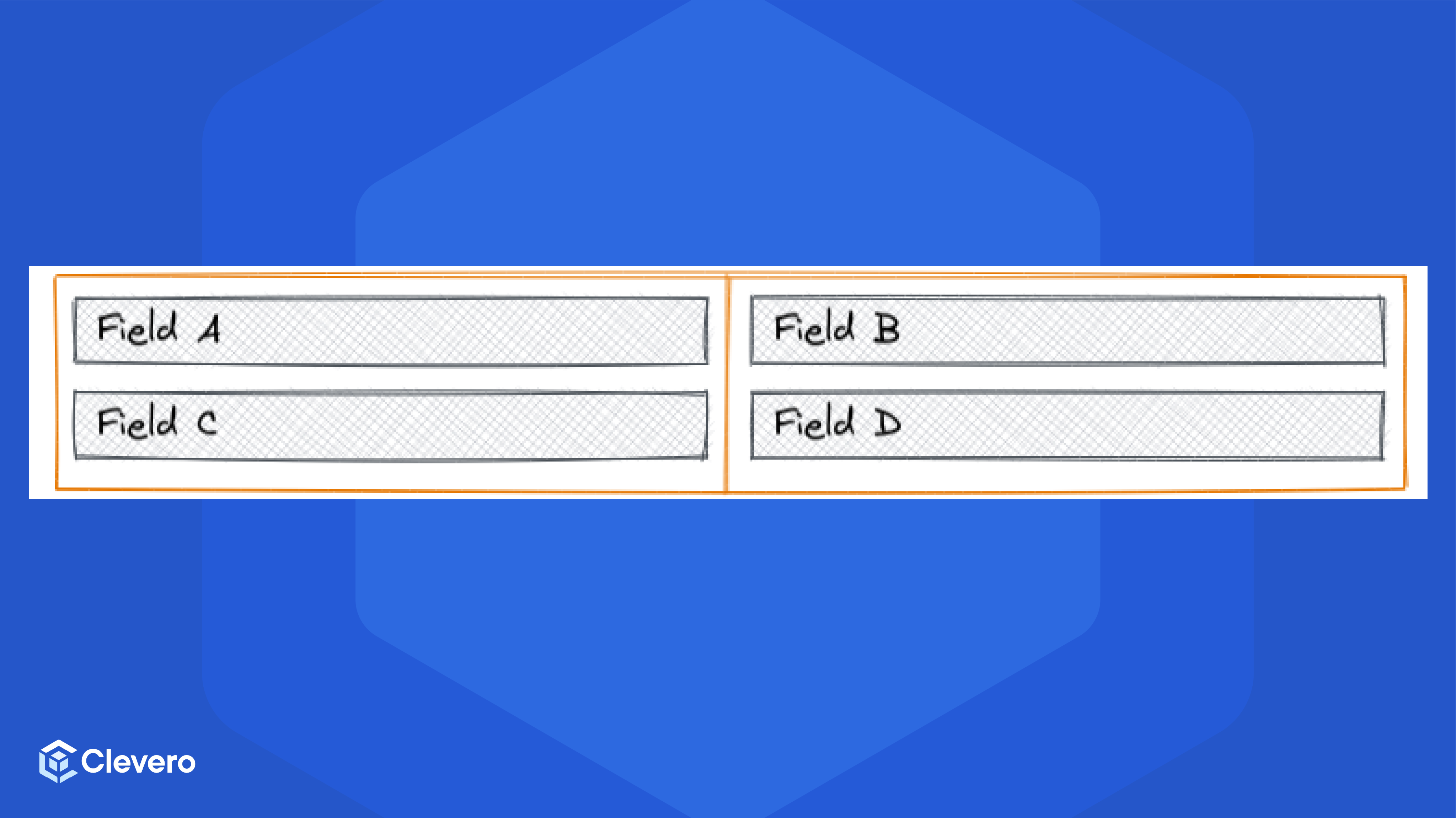
The field group displays two columns and two rows in the minimal configuration as demonstrated in the image below:
3.2. Three Columns with Minimum Column Width
This example shows the field group configured to a layout comprising three distinct columns with a minimum width.
{
 "type": "field-group",
 "columns": 3,
 "minColumnWidth": 200,
 "content": [
    { "type": "field", "label": "Field A" },
    { "type": "field", "label": "Field B" },
    { "type": "field", "label": "Field C" },
    { "type": "field", "label": "Field D" },
    { "type": "field", "label": "Field E" }
 ]
}
The field group exhibits three columns with minimum column width configuration as demonstrated in the image below:
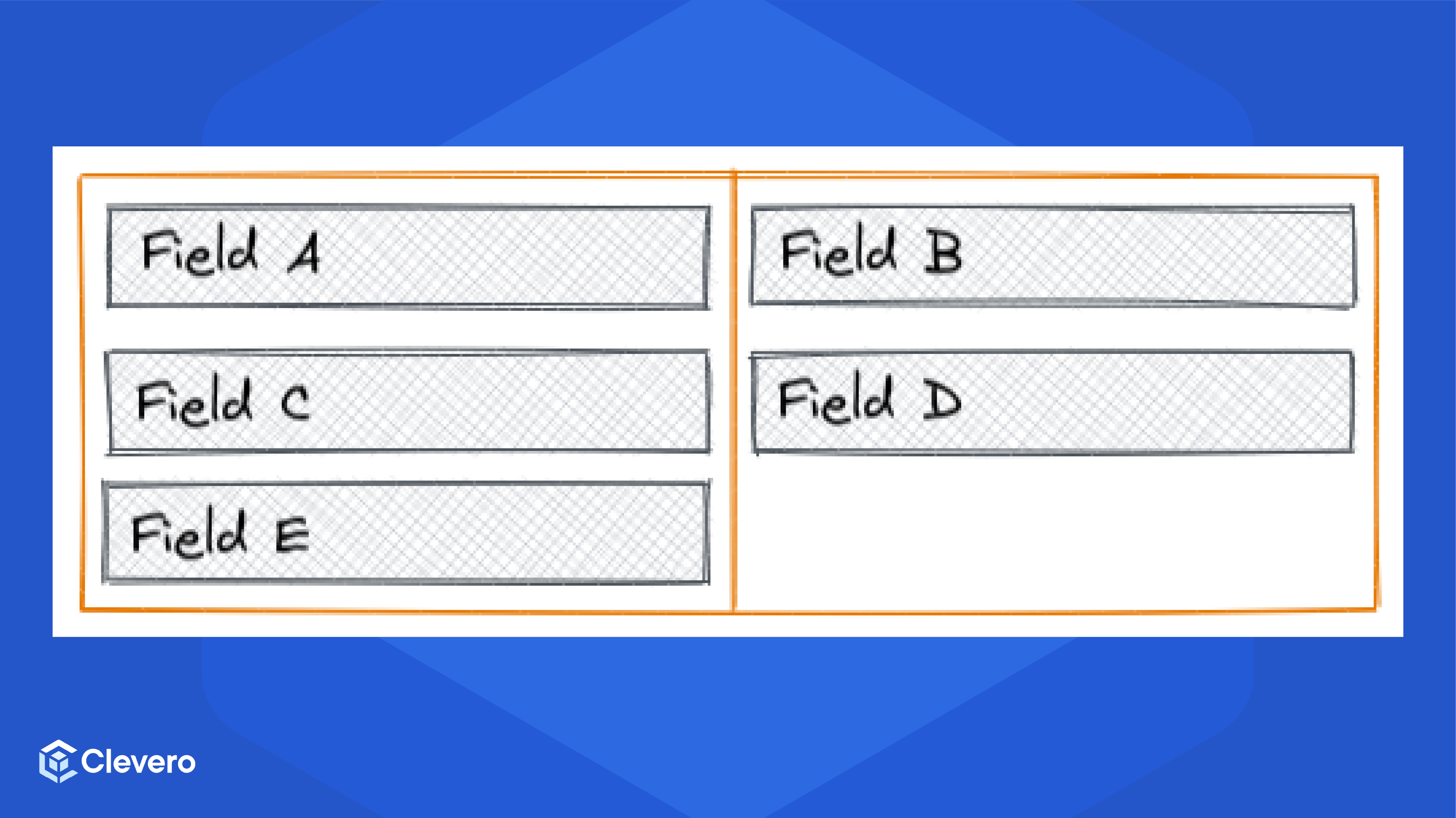
Demonstration on a compact screen with the field group's width falling within the range of equal to or above 200 2 = 400px, and below 200 3 = 600px
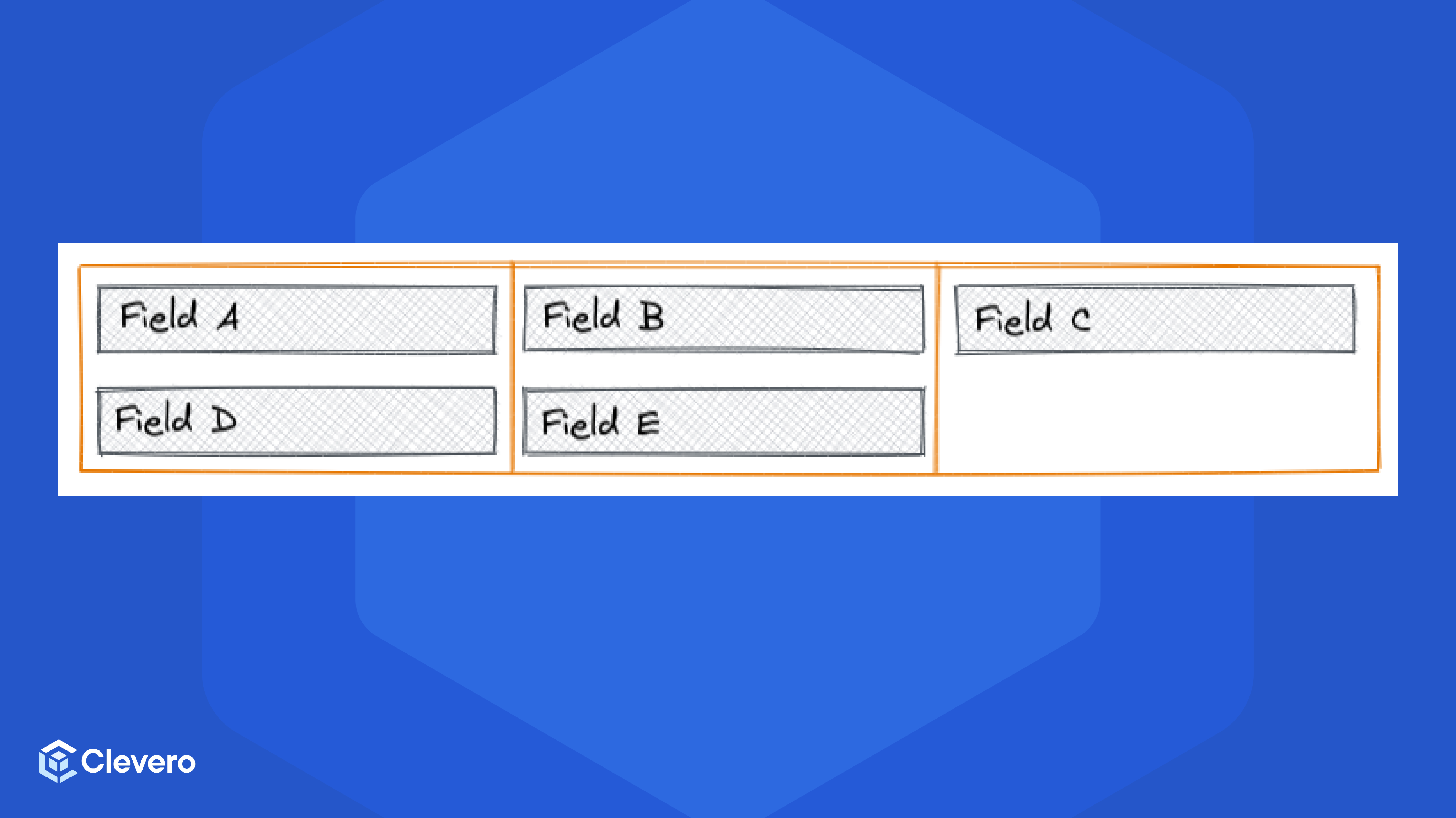
Demonstration on a wide screen with a field group width of 200 * 3 = 600px or greater
📌 Need Help?
